PredictionToolkit
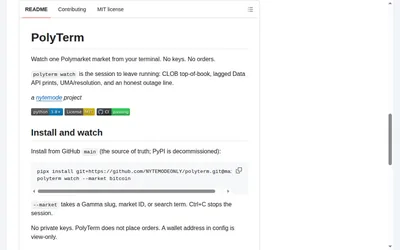
Follow a Polymarket market in a read-only terminal with explicit labels for data sources, freshness and resolution context.
- Access CLI · Self-hosted
366 tools. One searchable catalog.
Explore trading apps, analytics, APIs and research for the Polymarket and Kalshi ecosystems. Compare documented functions, costs and access requirements for the task you want to tackle.
Follow a Polymarket market in a read-only terminal with explicit labels for data sources, freshness and resolution context.
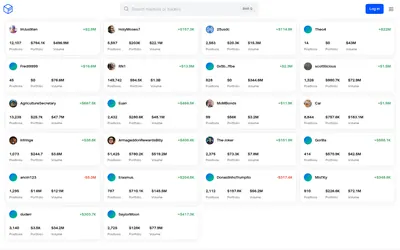
Inspect a trader's positions and P&L, add imported venue history or generate your own yearly wallet report.
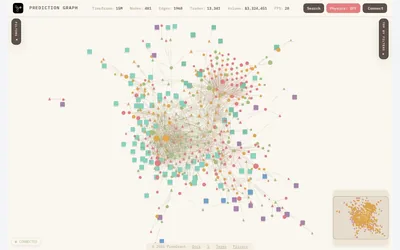
A network view connecting Polymarket traders, market questions and outcome tokens through recorded trading activity.
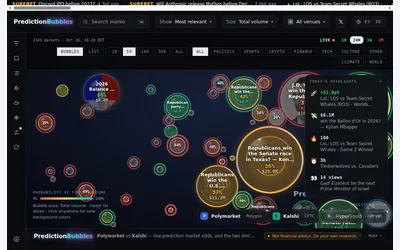
A visual market map whose bubble size follows a selected activity measure and whose color represents first-outcome probability.
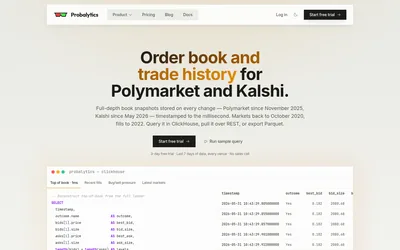
Historical market and trade data, with full-depth books on higher tiers and SQL, SDK and bulk-export access.
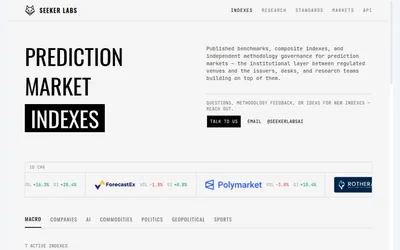
Explore themed prediction-market benchmarks and their construction, keeping consensus, disagreement and venue activity distinct.
Explore workflows
Choose a task, then find the tools for each step.
Research a trader, then decide between simulated, manual and live copying. Review the costs and available controls at every stage.
Follow the workflow Discover → Inspect → MonitorCompare wallet trackers, examine positions and use activity records to understand the context of a trader’s actions.
Find wallet-tracking tools Choose data → Integrate → AnalyzeFind APIs, SDKs and historical datasets suited to your dashboard, research process or trading application.
Explore developer toolsLearn the essentials
Find out when public data needs no key and how authentication works for private CLOB requests.
Read guideMatch your task to Gamma, CLOB or Data API, and distinguish market IDs, outcome-token IDs and wallet identifiers.
Read guideUnderstand Polymarket outcome shares, pUSD, bids and asks, fees and settlement rules. Follow a simple payout example before choosing research or trading tools.
Read guideExplore the apps, data services and research resources around Polymarket. Start with your task, then inspect each tool's features, costs and limitations before visiting the official product.
Move from trading interfaces and wallet research to APIs, infrastructure and learning resources. Categories describe the job a tool supports, so the same product may appear in more than one place.
Use guides and workflows to understand how the available tools fit together and which steps depend on a specific product or data source.