 PredictionToolkit

What is PredictFolio?
The dashboard puts positions, portfolio value, trading volume and P&L in one place. These numbers answer different questions: holdings show exposure, volume shows turnover and realized P&L concerns closed results. Auspex indexing also accounts for combo positions.
For your own records, the beta yearly transaction report includes realized P&L and fees and can be downloaded as PDF or CSV after wallet verification. Imported history, including Kalshi exports, can appear separately or summed with Polymarket; use a Polymarket-only view for like-for-like trader comparisons.
Who it is for
- Researching the positions behind a public trader's performance.
- Reconciling your own transaction history and fees.
- Viewing results from several venues in one chart.
Features and coverage
- Trader lookup
Find a trader by identity or public wallet and open their dashboard.
- Portfolio analysis
Read positions, value, volume and P&L alongside each other.
- Yearly report
Verified wallets can generate a beta transaction report with realized P&L and fees.
- PDF and CSV
Choose a readable document or a file for sorting and reconciliation.
- Combo positions
The Auspex indexer handles accounting for combined-market positions.
- Imported history
Add a Kalshi or other venue export and display its P&L separately or with Polymarket.
Workflows with PredictFolio
Examine a trader's record
Search the wallet and inspect its positions. Compare current portfolio value with turnover before interpreting P&L.
Prepare a yearly transaction file
Verify your wallet, choose the year and generate the report. Read the PDF or use CSV to reconcile transactions and fees.
Compare venue results
Import the other venue's history, align reporting periods and choose a separate or combined chart.
Pricing and total cost
PredictFolio is free to use. The yearly transaction report remains in beta and requires wallet verification.
Getting started
Before you start: Beta reporting needs wallet verification.
- Search a trader or wallet on PredictFolio.
- Open the dashboard and inspect positions and performance.
- For your own yearly file, choose Generate report and verify the wallet.
- Use the import option to add another venue's performance history.
The beta yearly transaction report requires a verified wallet.
Useful links
What to check
- Beta reporting needs wallet verification.
- Combined charts include imported records; select Polymarket only when comparing Polymarket traders.
- Portfolio value, trading volume and realized P&L are different measures.
A closer look
Ratings & reviews
User reviews 0
The main score switches to user ratings after 5 published reviews.
A specific example helps the next person choose the right tool.
Related tools
Browse category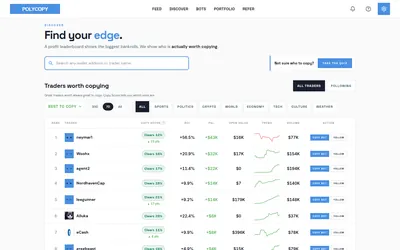

Explore trader activity, rehearse a copying strategy with paper bots, or automate live orders with your own budget.
- Trading mode Paper · Manual · Live automation
- Access Web
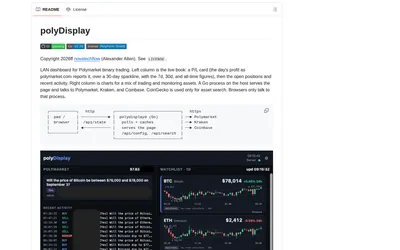
Show wallet positions, activity and P&L beside crypto charts in a local browser or tablet display.
- Access Web · iPadOS · Android
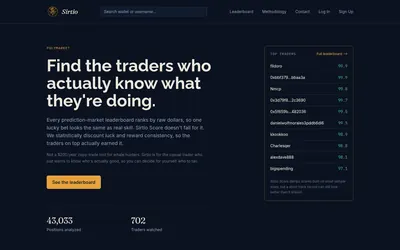

A public ranking that adjusts realized returns for consistency and sample size, with provisional scores for smaller records.
- Access Web
Frequently asked questions about PredictFolio
Can I research a wallet I do not own?
Yes. Public trader research does not require ownership; verification applies to your own wallet report.
Which report formats are available?
The yearly report supports PDF and CSV and includes realized P&L and fees.
Can I add Kalshi results?
Yes. Import its export and show the P&L separately or summed with Polymarket.