 PredictionToolkit
What is PolyTerm?
The watch view separates CLOB top-of-book data from delayed Data API trade prints. It also labels stale connections, REST fallback and unknown outage status, so a connected socket is not automatically presented as fresh market data. Any configured wallet address is for viewing only.
Read the current README for installation: GitHub main is the stated source and the PyPI package is decommissioned. The MIT-licensed repository is suited to an inspectable monitoring session on your own machine, but the software was not installed or run in this review.
Who it is for
- Developers monitoring a market from a terminal.
- Researchers needing clear data-source and freshness labels.
Features and coverage
- Read-only watch
Select a market using its slug, ID or a search term.
- Freshness labels
Distinguish WebSocket book data, stale connections and REST fallback.
- Resolution context
Inspect available UMA and market-resolution flags without turning them into an invented risk grade.
Workflows with PolyTerm
Monitor a market
Use the installation path in the current README, select a market and inspect the source labels in the watch session.
Diagnose missing data
Use stale and outage labels to distinguish an empty trade tape from a failed upstream connection.
Pricing and total cost
The repository carries an MIT license and states no software purchase price. Execution uses your own environment and network access.
Access: The README directs installation to GitHub main and states that the PyPI package is decommissioned.
Getting started
Before you start: The software was not installed or executed during the review.
- Read the current repository README and command documentation.
- Review the installation source and local requirements.
- Choose a market and inspect the labels for data source and freshness.
GitHub main is the installation source identified by the README; the PyPI package is decommissioned.
Useful links
What to check
- The software was not installed or executed during the review.
- Data API trade prints are explicitly delayed and do not represent live CLOB fills.
A closer look
Ratings & reviews
User reviews 0
The main score switches to user ratings after 5 published reviews.
A specific example helps the next person choose the right tool.
Related tools
Browse category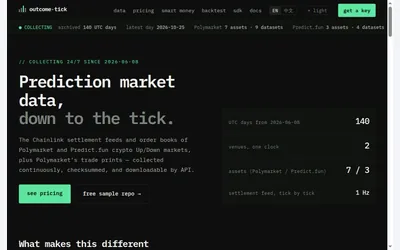

Download crypto Up/Down history with separate event/receive times, settlement data and checksums.
- Access API · Downloads · SDK
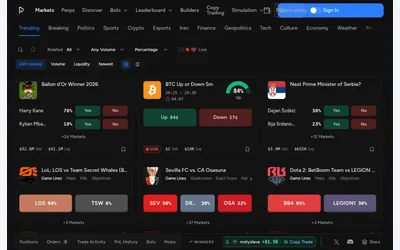

A populated Polymarket browser placing paper trading and simulation beside order and portfolio navigation.
- Access Web
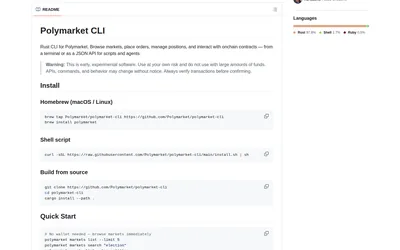

Inspect markets in tables or JSON, then configure wallet-enabled operations separately.
- Language Rust
- Access CLI
Frequently asked questions about PolyTerm
Can PolyTerm place orders?
No, according to the current README. Any wallet address configured is view-only.
Should I use the old PyPI package?
The README says that package is decommissioned and directs users to the current GitHub source.
What does the software cost?
It is MIT-licensed with no purchase price stated. You provide the runtime environment and network access.
Where is the documented installation source?
The current README points to GitHub main and says PyPI is decommissioned.