 PredictionToolkit

What is Polyinit?
The interface exposes paper-trading and simulation controls alongside portfolio and order tabs. Read the user guide and verify the active mode rather than assuming that every view is simulated because a paper switch is visible. A mode control alone does not establish realistic fills or a complete historical backtest.
Public market browsing works without sign-in, while personal portfolios, bots and saved workflows can require an account. The recorded review did not test paper or live execution, and current paid features and execution fees were not established. Treat practice quality and the boundary between account modes as questions for direct validation.
Who it is for
- For users finding markets before practicing a strategy and traders comparing paper and live workflow controls.
Features and coverage
- Topic or Polymarket-link search
Find an event by topic or paste its Polymarket link, then inspect the available outcome contracts.
- Market filters and views
Use category, volume and liquidity controls and choose grid or list presentation to narrow candidates.
- Practice and portfolio navigation
Paper trading and simulation appear beside portfolio and order tabs; verify the selected mode before using order controls.
Workflows with Polyinit
Find a market for practice
Search for an event, read its outcome wording and inspect liquidity before opening a practice workflow.
Verify paper versus live mode
Read the user guide, confirm paper mode and inspect order and portfolio behavior before entering any simulated order.
Pricing and total cost
Public discovery was accessible without sign-in. Paid features and execution fees were not established; personal portfolios, bots and saved workflows can require an account.
Getting started
Before you start: Paper and live execution were not tested. A visible simulation control does not establish realistic fills or a complete backtest, nor does it make every view simulated.
- Open Markets and find the intended event.
- Read the user guide, confirm the chosen trading mode and inspect the order and portfolio workflow before using it.
Personal portfolios, bots and saved workflows can require an account despite public browsing being available without sign-in.
Useful links
What to check
- Paper and live execution were not tested. A visible simulation control does not establish realistic fills or a complete backtest, nor does it make every view simulated.
A closer look
Ratings & reviews
User reviews 0
The main score switches to user ratings after 5 published reviews.
A specific example helps the next person choose the right tool.
Related tools
Browse category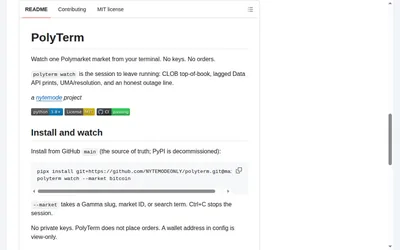
Follow a Polymarket market in a read-only terminal with explicit labels for data sources, freshness and resolution context.
- Access CLI · Self-hosted
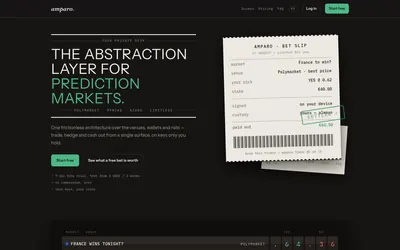

Compare supported venues, inspect local signing and use modular access with separate funding and contract checks.
- Trading mode Manual
- Access Web
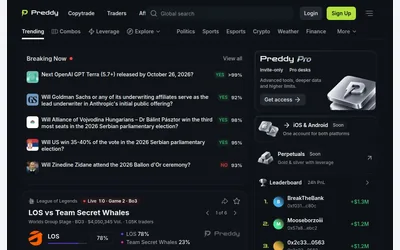

A populated web market feed with trader discovery, copy navigation and grouped-outcome research.
- Access Web
Frequently asked questions about Polyinit
Is every screen automatically paper trading?
Do not infer that from the visible switch. Read the guide and confirm the selected mode before using orders.