 PredictionToolkit

What is amparo?
The dashboard requests actions through a locally controlled key workflow. Published vault source and verification instructions help users inspect the design, but a published verification command is not a check completed by this review.
The provider describes SEPA conversion, on-chain delivery and modular software licenses. A free-bet calculator models bookmaker promotions alongside covering prediction positions; actual promotion rules, all costs, compatible settlement and filled legs determine the result. Public access was region-unavailable in the reviewed session, without bypassing restrictions.
Who it is for
- Comparing supported venues.
- Evaluating a local-signing design.
- Studying matched bets and funding.
Features and coverage
- Unified board
Search venues and compare displayed prices.
- Signing vault
Approve requests through local key control.
- Published source
Inspect vault code and verification instructions.
- Modular license
Choose software components in two-week periods.
- Funding
Provider-described SEPA conversion and on-chain delivery.
- Free-bet calculator
Model a promotion and a covering prediction position.
- Guides
Product explanations and glossary.
- Notifications
Telegram and Discord communication surfaces are listed.
Workflows with amparo
Inspect architecture
Read vault behavior and what the dashboard can request.
Compare a contract
Check prices and compatible rules before choosing a venue.
Model a promotion
Enter actual promotion terms and all leg costs.
Pricing and total cost
After an initial seven-day free period, users license the modules they need in two-week blocks starting at 2 USDC. The advertised absence of a platform commission leaves venue charges, currency conversion and transfers to be paid separately.
Getting started
Before you start: Verification instructions do not establish a completed verification here.
- Check access for your actual location.
- Read account and vault documentation.
- Choose required modules.
- Inspect available funding routes.
- Review each venue contract and signature request.
The service was region-unavailable in the public review session; no restriction was bypassed.
Useful links
What to check
- Verification instructions do not establish a completed verification here.
- Matched bets need compatible rules and executed legs.
- Regional and funding availability require task-specific checking.
A closer look
Ratings & reviews
User reviews 0
The main score switches to user ratings after 5 published reviews.
A specific example helps the next person choose the right tool.
Related tools
Browse category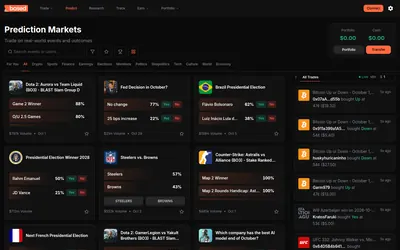
Web and mobile prediction trading with a market calendar, multiple discovery views and public portfolio analysis.
- Trading mode Manual
- Access Web · iOS · Android
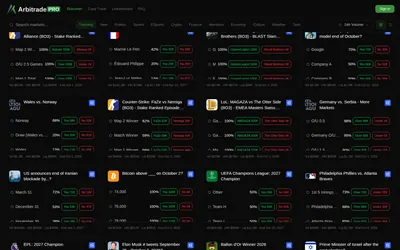

A Polymarket terminal with copy trading and six configurable position-management automations.
- Trading mode Manual · Live automation
- Access Web
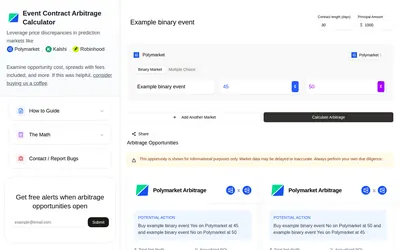

Calculate multi-leg scenarios using displayed prices, capital, outcome structure and days to completion.
- Access Web
Frequently asked questions about amparo
How is software charged?
Modular licenses in two-week periods after the free access period.
Where are signatures handled?
In the separate amparo vault.
Is access universal?
No. Regional availability applies.