 PredictionToolkit

What is ArbitradePro?
The public event list lets you inspect outcomes, prices, volume, liquidity and expiry before opening an account. Trending and new markets span politics, sports, esports, crypto, finance and other categories. Copy Trade and Leaderboard add a separate route for researching a trader before configuring replication.
The six automations solve different problems. STOP, TKPF, TRAL and BREV manage exits; LORE increases stake size after a decline, while LVRG adds exposure as prices rise. Neither a recovery label nor a break-even trigger removes execution risk: total capital needs, spread and available liquidity still matter.
Who it is for
- Traders who want market discovery and configurable exits in the same web workspace.
- Users comparing a fixed stop with a trailing stop or a move toward cost basis.
- Traders investigating copy candidates and the exposure created by scaling rules.
Features and coverage
- Market discovery and context
Browse trending and new events, then inspect the exact outcome, end date, price, liquidity and volume before selecting a strategy.
- STOP and TKPF
STOP sets an exit floor; crossing it triggers a market sell. TKPF instead uses the configured target price to take profit.
- TRAL
With TRAL, the stop moves with the position’s price peak instead of staying at its original floor. This separates trailing protection from a fixed-price stop.
- BREV
Once a position is profitable, move its stop toward cost basis. The trigger does not guarantee execution at that price.
- LORE
LORE responds to a decline by increasing the stake on subsequent entries. Those additions also raise the capital needed to keep the strategy running.
- LVRG
Add to a position as prices rise through momentum pyramiding. This description does not establish a borrowed-capital leverage ratio.
- Copy-trader research
Use Copy Trade and Leaderboard to examine a source trader before setting up replication.
Workflows with ArbitradePro
Attach an exit rule
Choose the contract and outcome, inspect liquidity, and configure STOP, TKPF or TRAL for the intended position. After entry, check both the position and the active automation state.
Budget every scaling step
Compare LORE’s additions after declines with LVRG’s additions on rising prices. Calculate the combined exposure across all possible additions before enabling either approach.
Configure a copy relationship
Inspect the trader behind a leaderboard entry, then use the dedicated copy flow to configure replication. A rank alone does not specify a complete copy setup.
Pricing and total cost
Published terms specify a 1% platform fee on transactions or operations executed through its tools, plus US$0.015 per sign.
Fees and usage costs
- 1% on an executed transaction or operation.
- US$0.015 per sign.
- Network and venue charges, spread and liquidity-related execution costs can also apply.
Getting started
Before you start: LORE increases exposure after declines and can require progressively more capital.
- Browse the public list and check the exact outcome and expiry.
- Sign in and complete the account, wallet and deposit flow.
- Read the displayed execution costs, including platform and signing charges.
- Configure a single automation and its trigger before combining strategies.
- Inspect the resulting position and active automation state after execution.
LORE requires more capital for later additions after declines; work out that exposure before enabling the strategy.
Useful links
What to check
- LORE increases exposure after declines and can require progressively more capital.
- LVRG describes momentum pyramiding, not a confirmed borrowed-capital leverage ratio.
- A stop moved to cost basis can still execute at a different price because of spread and available liquidity.
A closer look
Ratings & reviews
User reviews 0
The main score switches to user ratings after 5 published reviews.
A specific example helps the next person choose the right tool.
Related tools
Browse category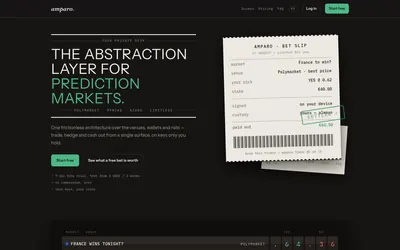

Compare supported venues, inspect local signing and use modular access with separate funding and contract checks.
- Trading mode Manual
- Access Web
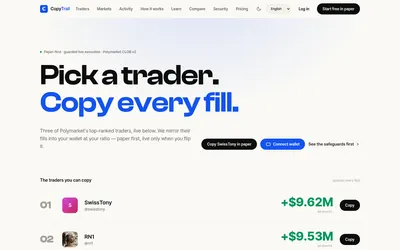

Start in paper mode, size copies by ratio and use explicit budgets, slippage and live activation controls.
- Trading mode Paper · Live automation
- Access Web
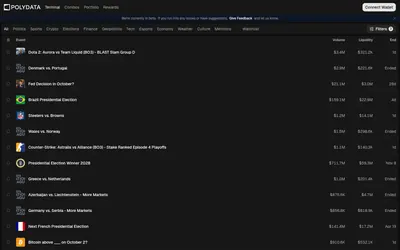

Public wallet analytics, category leaderboards and market discovery connected to a trading terminal.
- Trading mode Manual
- Access Web
Frequently asked questions about ArbitradePro
Which six automations are documented?
LORE, LVRG, stop loss, take profit, trailing stop and break even. The first two scale exposure; the other four manage exits.
How does a trailing stop differ from a fixed stop?
TRAL follows the price peak, whereas a basic stop uses the configured floor. Both remain subject to execution conditions.
What does execution cost?
The published fee page specifies 1% per executed transaction or operation and US$0.015 per sign. Other network, venue and execution costs may apply.
Can I inspect markets before creating an account?
Yes. The public market list displays events and outcome prices before account creation. Trading setup follows the account, wallet and deposit flow.