 PredictionToolkit

What is CopyTrail?
Compare source fills and the paper log under the same sizing settings before judging the configuration. Balance, minimum source-trade size and slippage checks can prevent copying. The public calculator scales historical trader results by a ratio; it is not a full reconstruction of fills, available balances or execution costs.
Standing seed capacity is separate from daily or monthly budgets and becomes available again as positions close. Global pause stops new copies without selling existing holdings. Review both the plan’s capital limit and your entry budgets when deciding how much exposure can remain open.
Who it is for
- Users observing copies before live execution.
- Copy traders using proportional budgets.
- Researchers comparing source and copy history.
Features and coverage
- Paper copying
Log mirrored fills without funded orders using the selected trader and sizing.
- Ratio sizing
Translate source trades into the configured fraction.
- Budgets and capital caps
Set daily/monthly budgets separately from standing seed capacity.
- Execution checks
Check balance, minimum source size and slippage before a copy attempt.
- Explicit live mode
Register a trading key before switching to live.
- Activity history
Compare source fills, copies and dashboard entries.
- Global pause
Stop new entries while retaining held positions.
Workflows with CopyTrail
Compare paper and source fills
Set trader, ratio and budgets and inspect missed or differently sized copies in the paper log.
Bound live copying
Review standing capital, daily/monthly budgets and slippage before activating that configuration.
Pause new exposure
Stop copies with pause and manage existing positions separately.
Pricing and total cost
Free includes live copying within its seed/trader limits. Paid plans use USDC on Polygon and raise capital or trader capacity; their prices are shown at checkout.
Free
US$0
- US$3,000 seed cap; 1 trader; paper mode and history.
Starter
See checkout
- US$5,000 seed cap; 1 trader.
Pro
See checkout
- US$20,000 seed cap; 1 trader; priority support.
Whale
See checkout
- No seed cap; unlimited traders; Telegram support.
Fees and usage costs
- Live traded value incurs a builder fee, but public plan cards do not publish the rate.
Getting started
Before you start: Pausing only stops new copies.
- Create a paper account, choose a trader and inspect the linked public profile.
- Set ratio, source minimum, budgets and slippage and compare paper activity with source fills.
- For live, register the trading key and inspect the live switch; monitor activity and pause when needed.
Pause does not sell existing positions.
Useful links
What to check
- Pausing only stops new copies.
- Standing seed capacity is released as positions close, unlike monthly spend budgets.
- The ratio calculator does not reconstruct historical fills, balances or costs.
A closer look
Ratings & reviews
User reviews 0
The main score switches to user ratings after 5 published reviews.
A specific example helps the next person choose the right tool.
Related tools
Browse category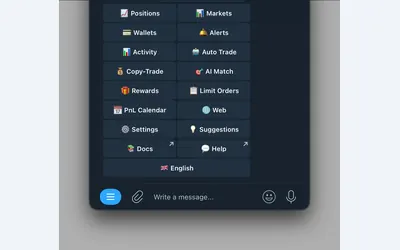

Polymarket wallet research, configurable copying and crypto or sports automation in Telegram and a connected web terminal.
- Trading mode Manual · Live automation
- Access Web · Telegram
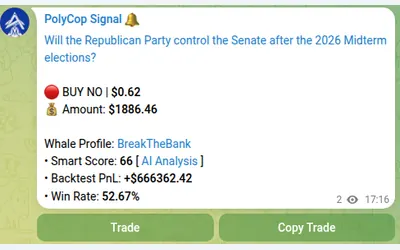

Copy Polymarket wallets in Telegram with separate buy/sell switches, controlled limit prices and layered exposure limits.
- Trading mode Manual · Live automation
- Access Telegram
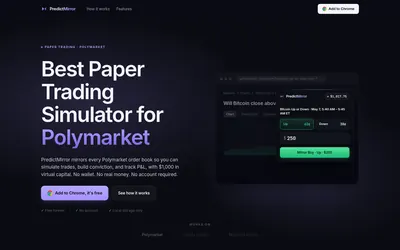

Practice in a browser panel with virtual funds, current prices and a local portfolio record.
- Trading mode Paper
- Access Browser extension
Frequently asked questions about CopyTrail
Does Free include live copying?
Yes, within the seed cap and 1-trader limit.
Do new accounts trade immediately?
They begin in paper; live needs separate setup and activation.
Does pausing close everything?
Existing holdings remain.
Does upgrading change the strategy?
Plans primarily change capacity and trader limits; copying stays ratio-based.