 PredictionToolkit

What is PredictMirror?
Select an outcome and amount in the panel while browsing a supported Polymarket event. The simulator starts with a $1,000 virtual bankroll and uses current book prices with modeled slippage. Portfolio sparklines, detailed position charts and simulated fill history let you inspect entries, exits and changing paper PnL.
This Chrome/Chromium extension stores the practice portfolio locally. Clearing local extension data can remove the record, and resetting the bankroll begins a separate experiment rather than demonstrating realized performance. The current advertised venue is Polymarket; Kalshi and Manifold are coming soon. Simulated fills never submit an exchange order and cannot establish the result of live execution.
Who it is for
- New users learning how outcome prices affect PnL.
- Traders practicing discretionary entries with virtual capital.
- People who prefer to keep practice history in their browser.
Features and coverage
- Panel beside the event
Open the paper simulator next to a supported Polymarket event page.
- Virtual bankroll
Begin with $1,000 and reset the balance when starting a new experiment.
- Current-price simulation
Use current order-book prices with the product’s modeled slippage, rather than sending an exchange order.
- Position charts
Follow paper PnL with portfolio sparklines and detailed charts.
- Simulated fill history
Inspect the entries and exits that created each practice position’s result.
- Open and closed positions
Separate active simulated exposure from realized practice results.
- Practice indicators
Review win rate and streak measures over the stored practice record.
- Local portfolio
Keep the portfolio in browser storage without creating a remote account.
Workflows with PredictMirror
Practice an event trade
Open the market, choose a side and amount in PredictMirror, record the simulated position and follow its PnL as prices change.
Compare approaches
Keep the virtual bankroll and sizing/exit assumptions consistent. Reset only when starting a separate experiment.
Review completed practice
Filter closed positions and inspect fill history to see which entries and exits produced the outcome.
Pricing and total cost
The website advertises free access without an account requirement.
Getting started
Before you start: Kalshi and Manifold support is planned rather than current.
- Follow the official Add to Chrome link.
- Open a supported Polymarket event page.
- Check the virtual balance in the PredictMirror panel.
- Choose an outcome and amount and submit a paper trade.
- Inspect open positions and simulated fill history.
- Retain the browser profile’s local data to preserve your practice record.
Polymarket is the advertised current venue; Kalshi and Manifold remain marked coming soon.
Useful links
What to check
- Kalshi and Manifold support is planned rather than current.
- Modeled fills do not send exchange orders.
- Clearing the extension’s local data can remove the stored portfolio.
- A bankroll reset begins a new practice comparison and is not realized trading performance.
A closer look
Ratings & reviews
User reviews 0
The main score switches to user ratings after 5 published reviews.
A specific example helps the next person choose the right tool.
Related tools
Browse category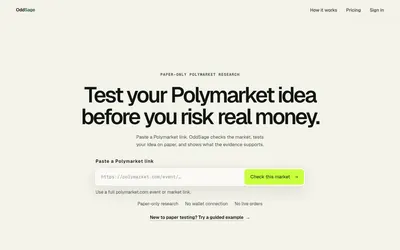

Draft an editable market rule, confirm a paper test and inspect observations, modeled costs and saved results.
- Trading mode Paper
- Access Web
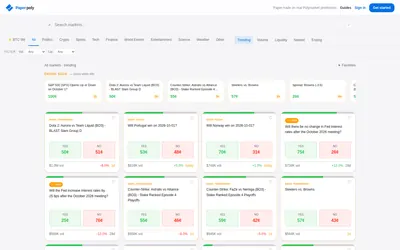

Practice market selection and position accounting with virtual funds, a journal and optional assistant-driven paper orders.
- Trading mode Paper
- Access Web · MCP
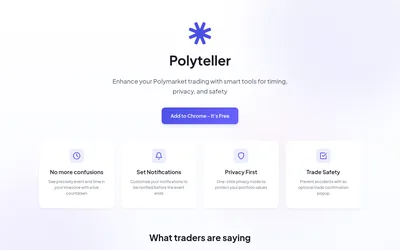

A free browser extension for local-time deadlines, reminders, hidden portfolio values and optional order-click confirmations.
- Access Browser extension
Frequently asked questions about PredictMirror
Do I need a crypto wallet?
No. Trades use virtual capital without a real-wallet connection.
What is the initial balance?
The simulator starts with $1,000 and offers a reset option.
Where is the history saved?
The product describes local browser storage, rather than a remote account.
Can I use it with Kalshi now?
The site marks Kalshi and Manifold as coming soon; the current advertised venue is Polymarket.