 PredictionToolkit

What is Parity?
Parity shows quoted price levels and visible sizes with the venue attached to each quote. Search for a market or trader, use venue and topic filters, and move between market context, trader views, trackers, activity and a dedicated multi-panel workspace. Volume, liquidity and recent price changes help frame the headline probability.
Global Polymarket and Polymarket US remain separate venue labels alongside Kalshi. Similar event wording does not prove identical contracts: compare resolution terms before interpreting a price difference. The displayed ladder represents available liquidity at that point, not a promise of a later fill. Portfolio navigation is available after sign-in, and account-specific trading permissions depend on the underlying venue connection.
Who it is for
- People researching prices across prediction venues.
- Traders who want to inspect order-book ladders.
- Users organizing market and trader monitoring in a shared workspace.
Features and coverage
- Separate venue filters
Keep global Polymarket, Polymarket US and Kalshi distinct.
- Book comparison
Inspect quoted prices and visible order-book sizes by venue.
- Market discovery
Browse trending events and topic groups or search for a relevant market.
- Market context
Review volume, liquidity and recent price changes alongside the displayed probability.
- Trader navigation
Find the public views related to traders.
- Trackers and activity
Organize monitoring beyond a single market’s page.
- Portfolio workspace
Access position-management navigation after signing in.
- Multiview
Open the dedicated workspace with multiple panels.
Workflows with Parity
Compare an event
Search the title, identify the contract at each venue and inspect the price and size columns, then compare resolution terms.
Monitor a market
Follow its price changes, liquidity and activity as well as its displayed probability.
Organize related research
Use trackers and multiview for related markets, keeping venue labels visible throughout.
Pricing and total cost
The public landing interface does not display a numerical subscription or platform-fee table.
Getting started
Before you start: Similarly titled contracts can have different resolution conditions.
- Search for a market or trader.
- Select the intended venue filter.
- Open the relevant contract and its order book.
- Compare available depth and resolution terms.
- Sign in for the account-specific workspace you need.
Global Polymarket and Polymarket US are separate venue labels and must not be merged.
Useful links
What to check
- Similarly titled contracts can have different resolution conditions.
- Visible book liquidity does not guarantee that a later order receives the displayed price.
- Account-specific trading permissions depend on the underlying venue connection.
- The public landing interface does not provide a numerical fee schedule.
A closer look
Ratings & reviews
User reviews 0
The main score switches to user ratings after 5 published reviews.
A specific example helps the next person choose the right tool.
Related tools
Browse category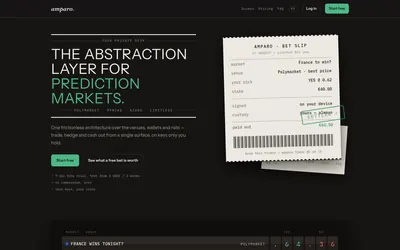

Compare supported venues, inspect local signing and use modular access with separate funding and contract checks.
- Trading mode Manual
- Access Web
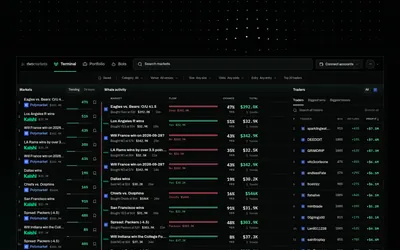
Move from trader research to rules, historical tests and paper bots, with venue-specific live activation.
- Trading mode Paper
- Access Web · Telegram · API · MCP
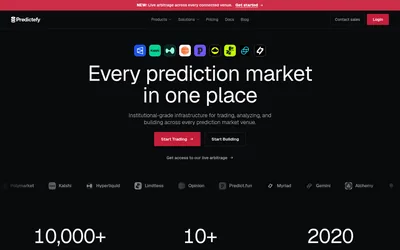
Normalized prediction-market data, matched contracts, replay and paper trading for multi-venue research.
- Access Web · API · MCP
Frequently asked questions about Parity
Which venues does the interface name?
Polymarket, Kalshi and Polymarket US, with global and US Polymarket kept separate.
Can I see quoted sizes?
Yes. The public comparison view includes price levels and size columns.
Is there a portfolio section?
Yes. Position-management navigation is available after sign-in.
Do matching titles make contracts equivalent?
No. Check each contract’s resolution terms.