 PredictionToolkit

What is Octagon?
Read the underlying sources and event definition before interpreting a displayed edge. Here edge means model probability minus market probability: it is a disagreement between estimates, not an observed trading return. Research news links market moves back to reports, while Trust Index combines market-integrity and trade-quality inputs into a score.
The site covers Polymarket and Kalshi, but some endpoints and thematic-basket workflows are specifically for Kalshi. Baskets express a thesis through several sized contracts; their backtests are hypothetical rather than executed account results. REST, MCP, SDK and the trading CLI offer different ways to incorporate research and supported actions into a process without establishing identical venue support.
Who it is for
- Researchers seeking event analysis with linked evidence.
- Traders comparing model estimates with market prices.
- Developers adding research to agents or trading tools.
Research coverage and methods
- Event reports
Read summaries, probability estimates and supporting source links. Public report browsing is free.
- Model comparison and news
Compare model and market probabilities, follow market moves and open the research report behind them.
- Trust Index
Inspect the score combining market integrity and trade quality alongside the report’s underlying evidence.
- Thematic baskets
Review a thesis implemented through sized Kalshi contracts and distinguish hypothetical basket backtests from account performance.
- REST data
Search markets, inspect clusters and retrieve ranked model-edge data. Check whether the route is Kalshi-specific.
- MCP, SDK and CLI
Connect compatible AI clients and agents through MCP or SDK resources, or use the CLI for research and supported trading actions.
Research tasks
Research a contract
Before using an edge from a report, connect its model estimate to the exact contract and the sources cited for it. Then compare that estimate with the contract's current market price.
Evaluate a basket
Read the thesis, check the rules of every contract and inspect the sizing of its legs before interpreting a backtest.
Connect an agent
Create an API key and choose MCP or REST. Budget credit consumption for the agent type and required request volume.
Pricing and total cost
Public reports are free to browse. Paid API and agent access includes a 15-day trial; the displayed Plus and Pro monthly equivalents require annual billing.
Plus, annual billing
US$17/month equivalent, billed annually
- 200 credits/month.
- Agent access, MCP and API keys.
Pro, annual billing
US$41/month equivalent, billed annually
- 600 credits/month.
- Historical prediction-market reports.
Enterprise
Custom
- Team access and customized workflows.
Fees and usage costs
- 500 additional credits cost US$50.
- Prediction-market agents use 3 credits per call, public-market agents use 1 and deep research uses 2.
Research inputs and access
- Browse a report for a market you follow.
- Inspect its sources and the model-versus-price comparison.
- Choose a paid plan for the access and request volume needed.
- Create an API key or connect an MCP client.
- Track credits consumed by each agent type.
Useful links
What to check
- Broad venue coverage does not mean every endpoint or basket workflow supports both venues.
- Displayed annual-plan monthly equivalents require annual billing.
- Basket backtests are hypothetical, separate from executed account results.
- Model edge is disagreement with price, not an observed trading return.
- Several endpoints and basket workflows are Kalshi-specific despite the site’s broader Polymarket and Kalshi coverage.
A closer look
Ratings & reviews
User reviews 0
The main score switches to user ratings after 5 published reviews.
A specific example helps the next person choose the right tool.
Related tools
Browse category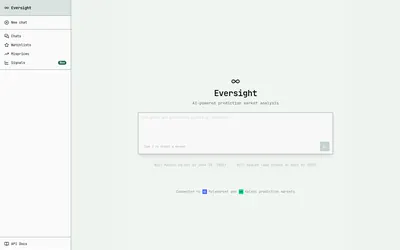
Request probabilities and retrieve attributed market signals through separate Numinous research APIs.
- Access Web · API
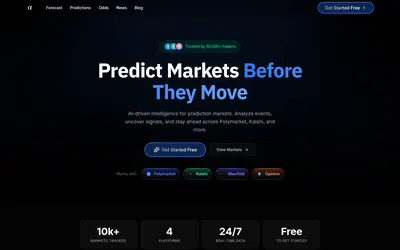

Request an AI forecast from a link, question or image, then compare market odds and news context.
- Access Web
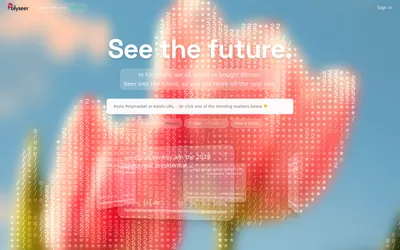
Paste a Polymarket or Kalshi contract link to start a focused AI research task through Valyu.
- Access Web
Frequently asked questions about Octagon
Can I browse reports without subscribing?
Yes. Public report browsing is offered free.
What does edge mean?
Model probability minus market probability. It is an estimated difference, not realized trading performance.
What does a prediction-market agent call consume?
3 credits per call. Different agent types have different credit costs.
Does Pro include historical reports?
Yes. Historical prediction-market reports are among its listed additions.