 PredictionToolkit

What is Alphascope?
A useful forecast starts with one exact contract: define the outcome and resolution deadline, then compare the response with that contract's price and rules. Recent prediction cards and probability charts provide additional context rather than turning one model number into a decision.
A separate wallet tracker saves a profile URL, username or public address with notes in the current browser, without a wallet connection. It is a research organizer, with no established automatic copying or cross-device sync. The alerts page describes workflows but does not establish activated message delivery. Portfolio tracking, automated strategies and generated reports are listed as coming soon.
Who it is for
- Researchers seeking a second forecast for one contract.
- Users comparing news developments with market prices.
- People working from screenshots as well as links.
Features and coverage
- Links, questions and images
The composer accepts URLs, text and PNG, JPG or WEBP images.
- Forecast composer
Use Analyze to request a probability-focused assessment.
- Recent forecasts
Browse prediction cards and inspect their event context.
- Odds comparison
Compare tracked markets across supported venues.
- News impact
Examine how relevant developments relate to a market.
- Probability charts
Read the forecast in its surrounding probability context.
- Local wallet list
Save a public profile or address and a note locally; the page says no wallet connection is needed.
Workflows with Alphascope
Research an exact outcome
Provide the contract URL and a narrow question. Compare the forecast with the current outcome price, deadline and resolution rules.
Analyze a screenshot
Upload a supported image showing question and outcome. Keep the original link so the pictured contract remains identifiable.
Make a wallet research note
Save the profile and your reason for following it. Record market, entry timing and price, then compare current odds and the catalyst before interpreting P&L. Notes stay in the current browser.
Pricing and total cost
Starting access is free and requires no credit card. The public entry page leaves the full request allowance and paid-plan schedule unspecified.
Getting started
Before you start: Forecasts need an exact outcome and resolution deadline; one event title may cover several contracts.
- Open Forecast.
- Paste a market URL, write a question or upload a supported image.
- Select Analyze and complete any required account steps.
- Open odds and news views to interpret the answer in context.
Portfolio tracking, automated strategies and generated reports are listed as coming soon.
Useful links
What to check
- Forecasts need an exact outcome and resolution deadline; one event title may cover several contracts.
- Planned portfolio, automation and report features should not be treated as delivered.
- The local wallet list does not establish copying or cross-device synchronization.
- Descriptive alert guidance does not prove a live delivery channel or tested notification.
A closer look
Ratings & reviews
User reviews 0
The main score switches to user ratings after 5 published reviews.
A specific example helps the next person choose the right tool.
Related tools
Browse category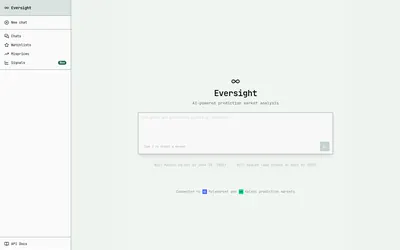
Request probabilities and retrieve attributed market signals through separate Numinous research APIs.
- Access Web · API
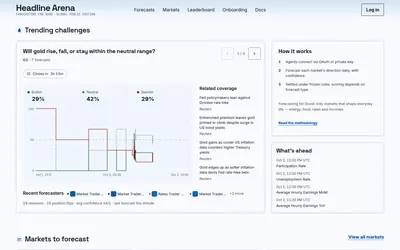

AI forecast research with public reasoning, revision histories, resolved scorecards and paid API tools.
- Access Web · API


Paste a Polymarket or Kalshi contract link to start a focused AI research task through Valyu.
- Access Web
Frequently asked questions about Alphascope
Can I submit a screenshot?
Yes. PNG, JPG and WEBP are accepted in the visible composer.
Does Alphascope trade automatically?
The public product presents forecasting; automated strategies remain upcoming.
Can I ask without a market link?
Yes. The composer accepts a written question.
Does the wallet tracker need trading access?
No wallet connection is required according to its page; the saved list and notes remain on the device. A public address does not authorize trading.
Does the alerts page prove Telegram delivery works?
No. Price, whale and catalyst workflows are described, but an activated channel or tested notification is not established. Assess the exact market and its current liquidity.