 PredictionToolkit

What is FORS?
The public app could be browsed without connecting a wallet during the source review. Use it to find events and compare venue coverage, then read each contract’s outcome wording and end date: similar titles do not establish the same settlement rules.
Fixed-amount or percentage copy sizing and start/stop controls are documented, but routing and copy execution were not tested. Allocation controls and premium entitlements need assessment in the account workflow. Premium analytics, copying or API access may require a subscription, with underlying venue fees potentially charged separately.
Who it is for
- Users comparing prediction markets across venues.
- Traders evaluating a market aggregator and copy interface.
Features and coverage
- Venue-labelled events
Browse populated market cards with badges identifying the source platform.
- Analytics navigation
Explore market and trader research within the same app.
- Copy controls in the documentation
The provider describes fixed or percentage sizing and controls for starting or stopping copying.
Workflows with FORS
Compare event coverage
Find an event and check each candidate’s source venue, precise outcome wording and end date.
Review copying costs
Inspect allocation controls, subscription requirements and underlying venue fees before enabling a copy.
Pricing and total cost
According to the provider, premium analytics, copying or API access may require a subscription and the underlying platforms may charge execution fees. Numerical plan prices were not established.
Access: Public market browsing was available without connecting a wallet.
Getting started
Before you start: Smart routing and copy execution were not operationally tested.
- Open the FORS app and skip the optional guidance.
- Browse or search for a relevant event.
- Review venue terms and account-level controls before execution.
The public browser was accessible without a connected wallet; this does not confirm trading access.
Useful links
What to check
- Smart routing and copy execution were not operationally tested.
- Similar event titles across platforms do not prove equivalent settlement rules.
A closer look
Ratings & reviews
User reviews 0
The main score switches to user ratings after 5 published reviews.
A specific example helps the next person choose the right tool.
Related tools
Browse category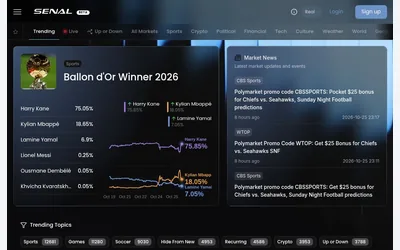

Browse prediction markets and linked news in a shared workspace, then check the venue and account requirements for further actions.
- Access Web
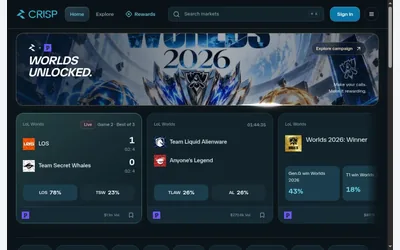
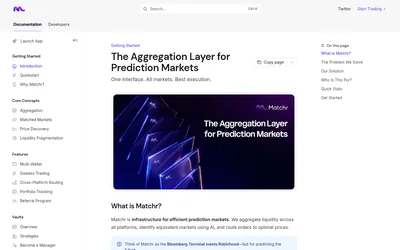

Find candidate matching markets and inspect their price differences in one web interface.
- Trading mode Manual
- Access Web
Frequently asked questions about FORS
Can I use FORS only for research?
Yes. Public market browsing was available and the provider describes analytics-only use.
Does the displayed price include every cost?
Not necessarily. Underlying venue fees and premium features may carry separate charges.
Are subscription prices established?
Numerical plan prices were not established. Premium analytics, copying or API access may require a subscription, alongside possible venue execution fees.
Do I need to connect a wallet to browse?
Public market browsing was available without connecting one.