 PredictionToolkit

What is Crisp?
The reviewed public browser contained populated events and outcome cards, including markets labeled Predict.fun. Search by a team or topic, then check the event date and venue before following the result. Saved-market navigation provides a route back to markets within the product’s personal workflow.
Use Crisp to investigate a different venue-access experience without assuming that every contract is on Polymarket or follows its settlement rules. Trading and personal functions require the account flow. The review covered public discovery and documentation, not order execution; it did not establish every advertised venue’s availability to every account or verify current trading, routing and account charges.
Who it is for
- People comparing prediction-market interfaces.
- Readers browsing sports and esports markets.
Features and coverage
- Event cards
Browse populated event cards and open individual outcomes.
- Search and saved markets
Find a specific event and use the product’s saved-market workflow.
- Venue labels
Identify the source venue attached to the displayed event.
Workflows with Crisp
Find an event
Search a team or topic and inspect the venue and event date on the result.
Compare contract terms
Use the contract you already follow as the reference. For the Crisp result, identify the source venue and read its outcome wording and settlement conditions alongside that contract's terms before treating the listings as alternatives.
Pricing and total cost
Public browsing was accessible. Current trading, routing and account charges were not verified.
Access: Trading and personal features require the product’s account flow.
Getting started
Before you start: Predict.fun markets were observed; every advertised venue’s availability to every account was not established.
- Open the public event browser.
- Find an event and read its venue label.
- Read contract conditions and account costs before opening a trading workflow.
Trading and personal features require account access.
Useful links
What to check
- Predict.fun markets were observed; every advertised venue’s availability to every account was not established.
- Do not assume that every listed contract is a Polymarket market or has identical settlement rules.
- Order execution was not tested.
- Current trading, routing and account costs were not verified.
A closer look
Ratings & reviews
User reviews 0
The main score switches to user ratings after 5 published reviews.
A specific example helps the next person choose the right tool.
Related tools
Browse category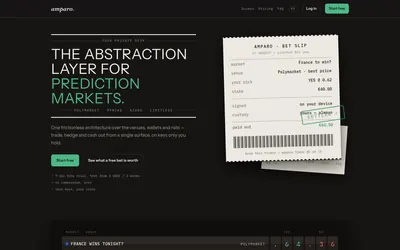

Compare supported venues, inspect local signing and use modular access with separate funding and contract checks.
- Trading mode Manual
- Access Web
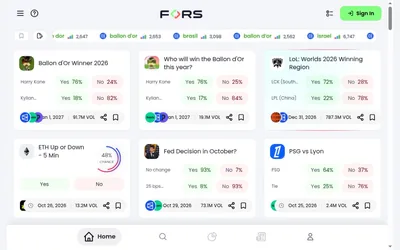

Compare venue-labelled events and investigate analytics and copy controls before assessing execution access and costs.
- Access Web
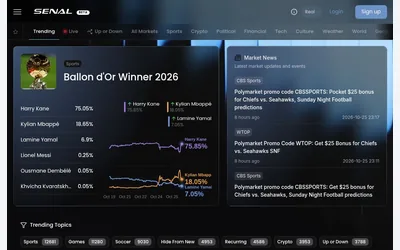

Browse prediction markets and linked news in a shared workspace, then check the venue and account requirements for further actions.
- Access Web
Frequently asked questions about Crisp
Are all Crisp markets on Polymarket?
No. The reviewed public interface included events labeled Predict.fun.
Was order execution tested?
No. The review covered public discovery and the documented interface.
What does Crisp cost?
Public browsing was accessible, but current trading, routing and account charges were not verified.
What access is required?
Trading and personal features require the product’s account flow.