 PredictionToolkit

What is Matchr.xyz?
Markets can be explored by category, venue or opportunity, alongside documented portfolio and multi-wallet tools. The service also describes managed vaults with manager-defined terms. A displayed market and a supported execution route are different things.
The routing guide documents current Polymarket execution and calls broader cross-platform routing planned. Before acting on a match, compare deadlines, settlement terms and available size.
Who it is for
- Comparing the same event across venues.
- Checking equivalence between differently worded contracts.
- Looking for consolidated discovery and portfolio views.
Market views and order controls
- Aggregated discovery
Filter market listings by category, platform and opportunity.
- Candidate matches
AI-assisted matching connects potentially equivalent events.
- Price comparison
Inspect quoted differences between the linked contracts.
- Wallet and portfolio access
Documentation covers multiple wallets and portfolio tracking.
- Execution scope
Current guidance covers Polymarket; broader routing is planned.
- Managed vaults
Read separately documented vault concepts and manager terms.
Terminal workflows
Verify a matched pair
Compare both questions, deadlines and settlement rules, then prices and available size. A match is a shortcut to research, not proof of identical contracts.
Prepare a route
Check execution support for the selected venue, its fee and funding route before preparing the order.
Pricing and total cost
Free browsing does not make every action free. Review the market-specific builder/platform execution fee before confirming and any network cost for a bridge. A managed vault has terms set by its manager; the documentation's example vault fees do not price all vaults.
Accounts and venue access
- Open Markets or Matches.
- Filter by category or venue and inspect a pair.
- Use a supported wallet or social/email sign-in for account functions.
- Review venue support, the execution fee and funding route.
Useful links
What to check
- Similar titles do not establish matching settlement rules.
- The public market list can appear empty; check its data state before inferring no markets exist.
- Aggregation does not mean every listed venue supports execution.
A closer look
Ratings & reviews
User reviews 0
The main score switches to user ratings after 5 published reviews.
A specific example helps the next person choose the right tool.
Related tools
Browse category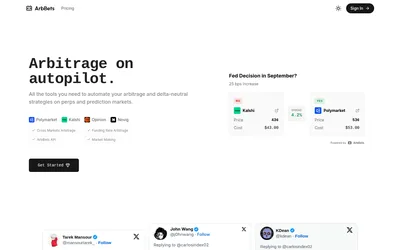
Scan matched outcomes across venues and inspect sizing, prices and costs through the web app or paid API.
- Access Web · API
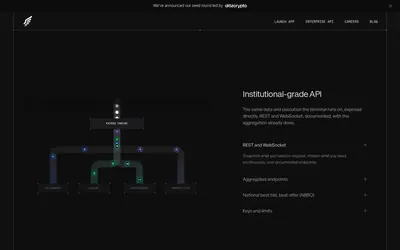

Use an aggregated terminal or scoped enterprise API for data, orders, positions and trader intelligence.
- Trading mode Manual
- Access Web · API
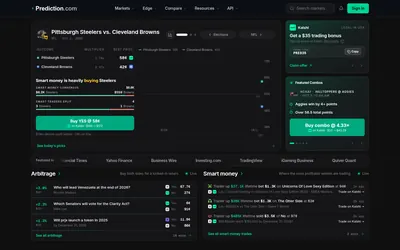

Compare venue quotes, calculate costs and explore strategies with paper tools before choosing a trading route.
- Trading mode Paper
- Access Web · API
Frequently asked questions about Matchr.xyz
Can I trade every listed venue?
No. The routing guide separates current Polymarket execution from planned broader routing.
Does browsing cost anything?
Browsing is free; execution and other services can have separate costs.
Are matched markets identical?
They are candidates. Read their exact questions, deadlines and settlement rules.