 PredictionToolkit

What is Blockworks Polymarket Analytics?
Compare the same period across volume, open interest, transaction counts and active wallets. Category volume is labeled notional volume: it is different from deposited capital or open interest, and should be aligned with another provider’s definition before comparison.
Wallet segments group participants by lifetime trading volume. They are not rankings of profitability or instructions to copy a wallet. Several detailed charts require Pro, so assess access to the exact metric needed for a report.
Who it is for
- Analysts explaining Polymarket activity changes.
- Researchers comparing markets, tags and participant segments.
- Teams already using Blockworks Intel.
Features and coverage
- Market and category breakdowns
Inspect individual markets, a top-markets table and the distribution of volume and open interest across tags.
- Participation context
Compare active wallets and transaction counts with turnover and capital measures; volume growth alone does not establish a broader user base.
- Wallet segmentation
Group wallets by lifetime trading volume to study participation, rather than infer trading profitability.
- Export and integration rights
CSV export requires Pro. Included Pro API access is limited to Assets endpoints; full API and MCP access need a sales discussion.
Workflows with Blockworks Polymarket Analytics
Explain an activity jump
Locate the change in the overview, then check whether a few markets or several categories account for it.
Prepare a research chart
Select the period and measure, verify chart access and preserve its definition with the exported result.
Pricing and total cost
Free access is limited. Some Polymarket charts and CSV export require Pro; a numeric Pro price is not publicly established in the plan page.
Free
$0; limited access
- Selected public views and limited project information
- An account is required for some expanded views and sharing
Pro
Check the subscription offer
- Pro-gated metrics and CSV export
- Assets API endpoints, not unrestricted API access
Access: Full API, MCP, data shares and spreadsheet integrations require separate sales terms.
Getting started
Before you start: Several detailed metrics require Pro.
- Open the overview and choose the activity measure and period.
- Use Prediction Markets breakdowns for categories, markets and wallet segments.
- Check access to the needed charts and preserve metric definitions when exporting.
Account and subscription requirements depend on the chosen feature.
Useful links
What to check
- Several detailed metrics require Pro.
- Notional volume, deposits and open interest are different measures.
- Wallet lifetime-volume segments do not rank profitability.
A closer look
Ratings & reviews
User reviews 0
The main score switches to user ratings after 5 published reviews.
A specific example helps the next person choose the right tool.
Related tools
Browse category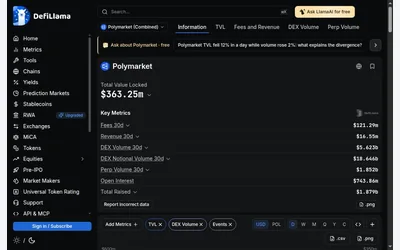

Compare venue activity and investigate Polymarket history with explicit metric and product definitions.
- Access Web
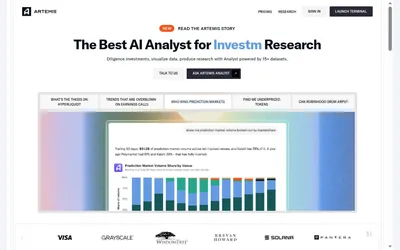

Prediction-market sector research within a broader financial platform, with question-driven analysis and exportable charts and tables.
- Access Web
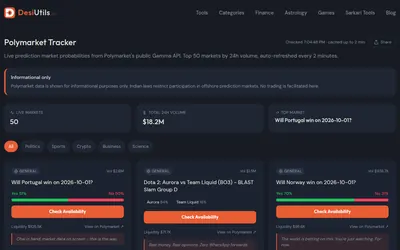

A free, account-free dashboard of 50 high-volume Polymarket questions and their outcome probabilities.
- Access Web
Frequently asked questions about Blockworks Polymarket Analytics
What is the dashboard useful for?
A volume total does not show which participants or categories account for it. Use the dashboard's market, category and wallet-segment breakdowns when you need to explain what is behind that total.
Can I use it without Pro?
Selected public views and limited information are available; multiple detailed metrics are Pro-only.
Does Pro include all API data?
No. Included API rights cover Assets endpoints. Full API and MCP access require contacting sales.
Why might another provider show different volume?
Compare time windows, product coverage and definitions before treating totals as equivalent.