 PredictionToolkit

What is UnifAI?
The documented Polymarket workflow monitors high-probability endgame markets with a trade-size cap. The wider coverage names Polymarket, Opinion and supported DeFi protocols. Users can create a strategy, copy one through the product workflow or build custom integrations with protocol tools and the developer SDK. Copying a template still requires reading every parameter.
Execution records expose positions, pending orders, timestamps and transaction hashes. Reconcile those records with the actual execution-wallet address: a wallet or proxy difference can make agent trades appear under an address other than a normal website login. Advertised APY describes a strategy claim, not an account’s realized return.
Who it is for
- For users adapting documented automation templates and developers composing protocol actions.
- For researchers who need to trace an agent’s actual orders and transactions.
Features and coverage
- Create or copy a strategy
Start with a shared template or build a workflow in the interface, then inspect market selection, triggers, size caps and the intended execution wallet.
- Agent runtime and endgame monitoring
The runtime monitors conditions and executes configured actions. Polymarket documentation describes high-probability endgame monitoring with a trade-size cap.
- Inspectable records and integrations
Inspect positions, pending orders, times and transaction hashes; use composable protocol tools and developer SDK resources for custom integrations.
Workflows with UnifAI
Read the template’s actual rules
Inspect every trigger and sizing condition, then configure the intended protocol and wallet and review funding and asset requirements in the app.
Reconcile an execution
Compare dashboard records with on-chain transactions and the actual execution-wallet address, including any proxy distinction.
Apply the correct strategy fee
Use the selected strategy’s fee table rather than applying the swap fee to every automation, and reconcile network and protocol costs separately.
Pricing and total cost
Fee documentation lists a 0% UnifAI platform transaction fee for Polymarket strategies. On-chain swaps list 0.5%, while Meteora strategies have separate swap and claimed-fee charges. Network and underlying protocol costs are additional, distinct categories.
Getting started
Before you start: Agent executions may use a wallet or proxy address different from the normal website login. Verify the actual execution address when auditing trades.
- Open the strategy interface and documentation and choose a template for the intended protocol.
- Inspect triggers, size caps and execution wallet, then confirm funding, supported assets and strategy-specific fees.
- Run a limited validation workflow and reconcile logs with on-chain transactions.
Advertised template APY does not establish realized account returns.
Useful links
What to check
- Agent executions may use a wallet or proxy address different from the normal website login. Verify the actual execution address when auditing trades.
- The older strategy FAQ’s blanket zero-venue-fee claim is not a current Polymarket fee schedule. Endgame prices can reverse before settlement and may lack an executable counterparty.
A closer look
Ratings & reviews
User reviews 0
The main score switches to user ratings after 5 published reviews.
A specific example helps the next person choose the right tool.
Related tools
Browse category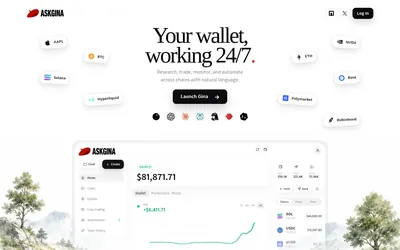

Research markets conversationally, use supported order workflows and schedule wallet tasks with explicit access choices.
- Access Web · MCP
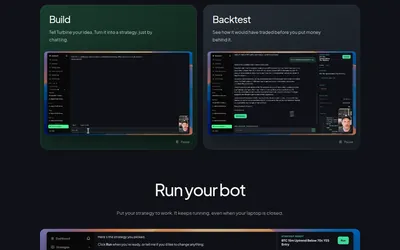

Move from a strategy description through backtesting and paper trading to a hosted bot.
- Trading mode Paper · Live automation
- Access Web · MCP
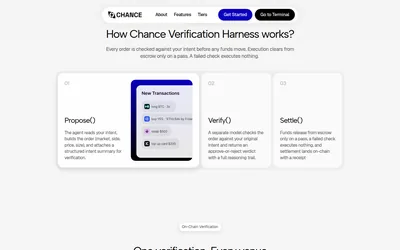

A separate verification step for matching proposed trading actions to their original instructions.
- Access Web · API · MCP
Frequently asked questions about UnifAI
Is the platform only for prediction markets?
No. Prediction workflows are part of wider DeFi automation that also covers liquidity and swaps.
Does every strategy use the same fee?
No. Polymarket platform fees, on-chain swap fees and Meteora charges are documented separately; network and protocol costs remain distinct.