 PredictionToolkit

What is TurbineFi?
In Studio, describe the market selection, entry, exit and sizing you want the bot to follow, then inspect the generated logic. The workflow proceeds through a historical backtest and a current-market paper session before funded deployment. Kalshi and Polymarket are named, but strategy and execution support need checking in the selected venue workflow. Hosted bots are described as running independently of the user’s laptop.
The public library groups crypto, weather and arbitrage strategies and research variations, with historical simulations that include losing examples. Evaluate sample dates, net PnL, trade count and drawdown for an individual strategy rather than treating aggregate library counters as evidence. Plans measure weekly deployments and simultaneous bots: those allowances are capacity, not counts of profitable strategies or completed trades.
Who it is for
- People translating explicit trading rules into bots.
- Researchers iterating on historically tested strategies.
- Traders seeking a hosted runtime independent of their laptop.
Features and coverage
- Conversational strategy creation
Turn an idea into strategy logic that can be inspected.
- Historical backtests
Review historical behavior and assumptions before deployment.
- Paper trading
Observe current-market behavior without committing live capital.
- Hosted operation
Keep supported bots running in the hosted environment independently of the local laptop.
- Strategy library
Explore crypto, weather and arbitrage approaches and research variations.
- Deep research
Higher plans add extended strategy research.
- Deployment capacity
Manage weekly deploy allowances and the number of bots running concurrently.
- Developer guidance
Read documentation for Studio, sandbox, data feeds and MCP.
Workflows with TurbineFi
Specify the rule
Describe market selection, entry, exit and sizing, then inspect the generated strategy.
Evaluate a backtest
Read sample dates, net PnL, trade count and drawdown before accepting a strategy.
Progress from paper to live
Observe current-market decisions in paper mode and confirm venue-specific execution support before funded deployment.
Pricing and total cost
Studio capacity is measured in weekly deploys and simultaneously running bots.
Starter
$9/month
- 10 deploys/week
- 1 bot at a time
- Backtesting and paper trading
- Crypto, weather and arbitrage bots
Basic
$99/month
- 100 deploys/week
- 3 concurrent bots
- Deep research
Pro
$199/month
- 400 deploys/week
- 5 concurrent bots
- Concierge support
Fees and usage costs
- Annual plans are paid upfront.
- The pricing page says billed periods are non-refundable. Cancelling stops the next renewal while access continues through the paid period.
Getting started
Before you start: Deploy quotas do not measure success or completed trades.
- Open Studio and choose the venue workflow.
- Describe the complete strategy conditions.
- Inspect the generated logic.
- Run a historical backtest and a paper session.
- Review account permissions and runtime limits.
- Deploy and monitor the bot’s activity and logs.
A deploy allowance measures capacity, not profitable strategies or completed trades.
Useful links
What to check
- Deploy quotas do not measure success or completed trades.
- Historical simulations differ from live execution.
- Confirm strategy and venue support in the selected runtime.
- Library-wide counters do not establish the quality of an individual strategy.
- Source review did not test funded bots.
A closer look
Ratings & reviews
User reviews 0
The main score switches to user ratings after 5 published reviews.
A specific example helps the next person choose the right tool.
Related tools
Browse category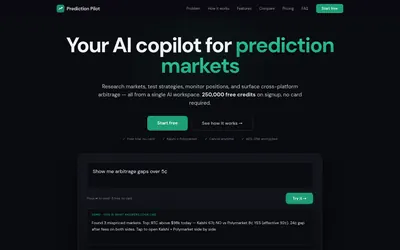

A Kalshi-first research assistant with backtests, scheduled alerts and Polymarket comparisons; users execute orders themselves.
- Trading mode Read-only
- Access Web
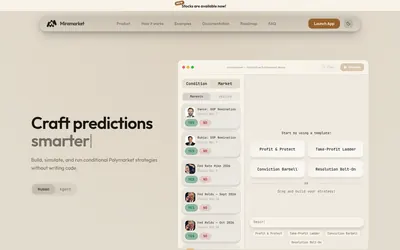

Build and inspect conditional trading rules on a canvas, then simulate before choosing live execution.
- Trading mode Paper · Live automation
- Access Web
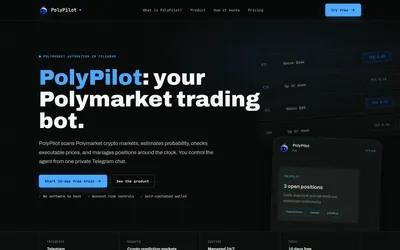

A managed Polymarket crypto agent with position limits, hosted execution and Telegram monitoring.
- Trading mode Live automation
- Access Telegram
Frequently asked questions about TurbineFi
Does the bot depend on my laptop staying open?
The provider describes a hosted runtime that operates independently of the local laptop.
Does Starter include paper trading?
Yes. Starter lists backtesting and paper trading.
How many bots can Pro run together?
Up to 5 concurrently.
Can I cancel renewal?
Yes. Cancellation stops the next renewal and access continues through the paid period. The pricing page says billed periods are non-refundable.