 PredictionToolkit

What is Prediction Pilot?
Kalshi is the primary venue. Relevant Polymarket contracts serve as cross-checks for equivalent-contract prices, rather than providing full feature parity. The assistant does not place trades automatically; users review a proposed opportunity and click through to Kalshi themselves.
Backtests use a described 90-day settled-market dataset with training and validation splits. Trade count, PnL, drawdown and category results help evaluate a rule, but that history may be a small sample for infrequent strategies.
Who it is for
- Kalshi users seeking chat-based research with sources.
- Researchers testing simple rules before scheduling scans.
- Users monitoring exposure and equivalent-contract price gaps.
Features and coverage
- Cited opportunity research
Combine venue data, NWS forecasts and web sources while inspecting volume, spread, closing time and price bands.
- Rules and historical diagnostics
Convert a natural-language setup into saved conditions and backtest on 90 days of settled Kalshi data with train/validation splits, trade counts, PnL, drawdown and category results.
- Scheduled scans and notifications
Run saved rules every 5 minutes, hourly or daily and receive push, email or in-app alerts.
- Read-only position monitoring
Connect Kalshi read-only data to review exposure and position flags without delegating trade execution.
- Polymarket cross-checks
Compare relevant contracts during research, checking outcome equivalence, book depth and fees before interpreting a price gap.
Workflows with Prediction Pilot
Test a described rule
Inspect the conditions produced from the prompt, then assess sample size and drawdown alongside returns.
Monitor a strategy
Save the rule, choose its schedule and notification channel, and review each match yourself.
Investigate a price gap
Check contract equivalence, current depth and fees before opening either venue; the assistant does not execute the trade.
Pricing and total cost
A free, no-card signup allowance is followed by a credit-based monthly plan. Message estimates are not a fixed allowance: usage depends on model and question size.
Signup allowance
Free
- 250,000 credits
- No card required
Copilot
$14/month
- 2,500,000 credits
- Research, backtests and scheduled scans
- Position monitoring
Fees and usage costs
- Overage costs $10 per million credits.
- The FAQ lists default soft/hard overage caps of $10/$25, with configurable warning and pause caps.
Getting started
Before you start: Kalshi is primary; Polymarket support is limited to cross-checking.
- Start with the free credits and ask a research question, then inspect its sources.
- Connect Kalshi read-only access if portfolio analysis is needed.
- Test the strategy before scheduling scans.
- Configure notifications and usage caps.
- Review proposed trades and execute them yourself in the venue.
The assistant does not place trades automatically.
Useful links
What to check
- Kalshi is primary; Polymarket support is limited to cross-checking.
- The 90-day backtest window may be too small for infrequent strategies.
- Marketing message estimates vary with model and question size.
- Scheduled scans and position monitoring do not authorize automatic orders.
A closer look
Ratings & reviews
User reviews 0
The main score switches to user ratings after 5 published reviews.
A specific example helps the next person choose the right tool.
Related tools
Browse category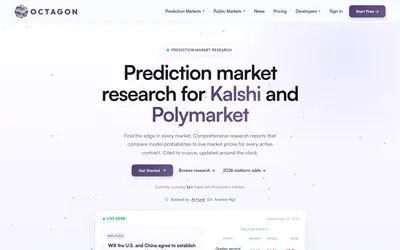

Source-linked event reports, model-price comparisons and developer access through API, MCP and CLI.
- Access Web · API · CLI · MCP
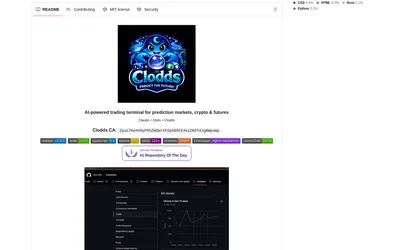
Run market research and configured strategy tools through a local chat gateway and supported messaging channels.
- Access Web · Telegram · Discord · MCP
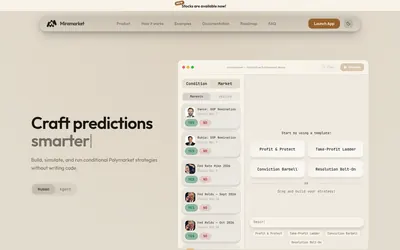

Build and inspect conditional trading rules on a canvas, then simulate before choosing live execution.
- Trading mode Paper · Live automation
- Access Web
Frequently asked questions about Prediction Pilot
Does it execute orders?
No. The product FAQ says users must click through to Kalshi themselves.
Is a card needed to try it?
No. The starting credit allowance is advertised without a card requirement.
Can a chat request run a backtest?
Yes. The described backtesting workflow uses settled Kalshi market data and includes diagnostic results.
Can I limit extra usage charges?
The product describes configurable warning and pause caps. Review them alongside the included credits and overage terms.