 PredictionToolkit

What is Stand?
The public leaderboard offers a starting point before account setup or funding. It was populated and publicly accessible in the reviewed interface, allowing candidates to be investigated alongside market discovery and activity. Read the available trader record and compare an observed entry with current prices before moving toward a personal trading decision.
Copying, portfolio and personal order settings sit behind account access. Review fees, sizing and permissions there rather than assuming the public rankings describe your execution conditions. No orders or copy rules were activated in the review, and a complete current trading/copying fee schedule was not verified. Platform and venue charges must be considered together.
Who it is for
- People who want market discovery alongside trader research.
- Traders comparing copying interfaces.
Features and coverage
- Public trader rankings
Inspect a populated leaderboard without first funding an account.
- Market and activity discovery
Browse markets and the feed through the terminal’s navigation.
- Account-dependent copying
The interface exposes copying and portfolio workflows behind account access; personal settings require an account.
Workflows with Stand
Research before copying
Start with the leaderboard, read the trader’s available record and compare its market entry with current prices before choosing personal copy settings.
Follow a market
Use market discovery and the activity feed to build context before opening an order workflow.
Pricing and total cost
Public browsing was accessible. A complete current schedule of trading and copy-trading fees was not verified.
Access: Personal trading and copying settings require an account.
Getting started
Before you start: No orders or copying rules were activated in the review.
- Open the public leaderboard or market browser.
- Inspect a trader or market relevant to your strategy.
- Review account requirements, fees, sizing and permissions before configuring trading.
An account is needed for personal trading and copying settings.
Useful links
What to check
- No orders or copying rules were activated in the review.
- A full current fee schedule was not verified.
- Evaluate platform charges together with underlying venue costs.
- Public research views do not establish execution quality or account-specific terms.
A closer look
Ratings & reviews
User reviews 0
The main score switches to user ratings after 5 published reviews.
A specific example helps the next person choose the right tool.
Related tools
Browse category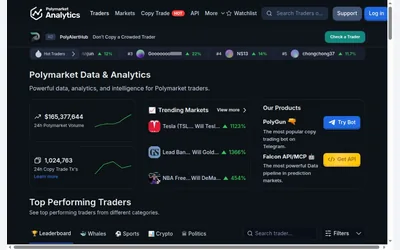

Public trader rankings with category views, detailed numeric filters and wallet/market research.
- Access Web
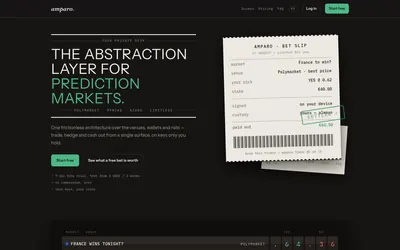

Compare supported venues, inspect local signing and use modular access with separate funding and contract checks.
- Trading mode Manual
- Access Web
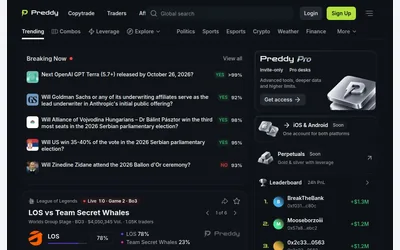

A populated web market feed with trader discovery, copy navigation and grouped-outcome research.
- Access Web
Frequently asked questions about Stand
Can I browse before signing in?
Yes. The reviewed leaderboard was populated and publicly accessible.
Was copy execution tested?
No. This profile describes the documented interface and public research views.
What does Stand cost?
Public browsing was accessible, but a complete current trading and copying fee schedule was not verified.
What access is needed for trading?
An account is required for personal trading and copy settings.