 PredictionToolkit
What is SpectraView?
The reviewed public Events page could be explored without funding an account. Categories and market probabilities offer a starting point for finding an event, checking its question and venue, and then moving to relevant trader research.
The broader workspace links to copying, signals, strategies, combos and portfolio functions that require their own account and execution checks. It also has a separate perpetuals section: a perpetual position and a prediction outcome have different costs, position mechanics and settlement. Public examples do not establish verified returns.
Who it is for
- Users comparing integrated event-research and trading workspaces.
- Traders moving between market questions and research into participating traders.
Features and coverage
- Public event discovery
Search and browse populated event categories, then inspect a market’s question, probability and venue.
- Trader research
Examine trader information for context before deciding whether to use any copy controls.
- Strategy and portfolio navigation
Dedicated areas lead to signals, strategies, combos and portfolio management; visible navigation alone does not verify authenticated execution.
Workflows with SpectraView
Create an event shortlist
Filter the public event browser and read the selected contract’s question and venue before comparing opportunities.
Review the complete trade flow
Compare the research screens with the account requirements, fees and sizing controls needed to execute or copy.
Pricing and total cost
The public event browser was accessible during review. Current subscription prices and trading-fee amounts were not established.
Access: Personal portfolio features and execution require account access.
Getting started
Before you start: Public examples are not independently verified performance results.
- Open Events and select a relevant category.
- Inspect the market or trader relevant to your research.
- Review account requirements, fees and position-sizing controls before activating execution.
Account access is needed for a personal portfolio and execution; the review did not test authenticated trading.
Useful links
What to check
- Public examples are not independently verified performance results.
- No trading, strategy activation or copy execution was tested.
- Perpetuals have separate mechanics and should not be evaluated as prediction-market outcomes.
- Current subscription and trading-fee amounts remain unverified.
A closer look
Ratings & reviews
User reviews 0
The main score switches to user ratings after 5 published reviews.
A specific example helps the next person choose the right tool.
Related tools
Browse category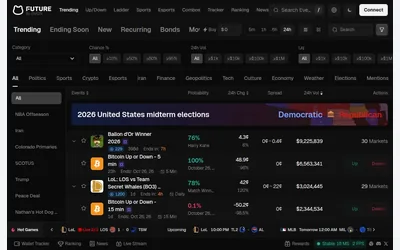

A detailed GMGN terminal for Polymarket screening, with market-activity tables and paths into wallet research.
- Access Web
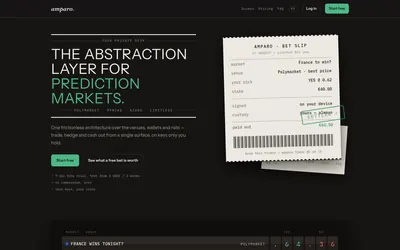

Compare supported venues, inspect local signing and use modular access with separate funding and contract checks.
- Trading mode Manual
- Access Web
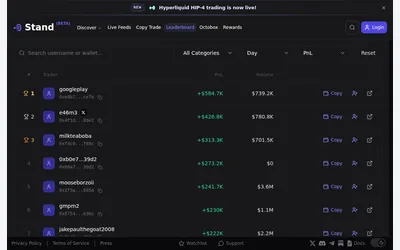

Research markets and traders in a web terminal before entering account-dependent trading and copy settings.
- Access Web
Frequently asked questions about SpectraView
Can I inspect markets before funding?
Yes. The reviewed public Events page contained markets and could be explored without funding an account.
Are perpetuals prediction markets?
No. SpectraView has separate product areas, with different position, cost and settlement mechanics.
What does access cost?
Public event discovery was accessible. The review did not verify current subscription prices or trading-fee amounts.
When is an account required?
Personal portfolio functions and execution require account access. Public browsing does not establish access to every strategy or copy feature.