 PredictionToolkit

What is SpectralBot by Cotes?
The service describes evaluating setups every 5 seconds; that evaluation cycle does not mean a signal is issued on every check. Model confidence and value relative to the current market price are different measures. Match each alert to the exact interval before reading the linked market.
The bot does not connect to the user’s Kalshi account or place orders. Its production record measures correctness of the first signal, separately from out-of-sample backtests. Neither measure is realized trading profit, which also depends on entry price, fees and fills.
Who it is for
- Users researching Kalshi BTC 15-minute markets.
- Traders wanting a simple shared signal feed with market links.
- Researchers comparing production signal records and backtests.
Features and coverage
- Direction and interval
Read the model’s YES/NO side and identify the exact 15-minute contract rather than a generic BTC direction.
- Confidence and price edge
Separate model conviction from value relative to the quoted price when the signal was generated.
- Frequent conditional evaluation
The provider describes a 5-second evaluation cycle, with signals emitted only when its criteria are met.
- Shared feed and manual links
Subscribers receive the same stream. The official Telegram bot and web sign-in provide access, with Kalshi links for manual review.
- Separate performance records
Production first-signal correctness is distinguished from out-of-sample backtests and from actual trading returns.
Workflows with SpectralBot by Cotes
Review a signal
Match the time slot, compare the current ask with the signal context and make any decision manually.
Assess the record
Separate direction correctness from trading profit and include entry prices, fees and actual fills in any comparison.
Observe the trial
Use the trial to inspect signal frequency and clarity before assessing paid continuation and renewal terms.
Pricing and total cost
Price confirmation belongs in the sign-in flow: the public page advertises a 7-day full-feed trial but leaves the subsequent subscription amount unstated. Check both continuation and renewal conditions before moving into paid access.
Getting started
Before you start: Coverage is Kalshi BTC 15-minute markets; expansion to other markets is described as future work.
- Open the official Telegram bot or web sign-in and review trial and renewal terms.
- Match each signal to its named BTC interval.
- Open the linked Kalshi contract and inspect the current price.
- Place any order manually in your own venue account.
This is a signal service and does not connect to the user’s account or execute orders.
Useful links
What to check
- Coverage is Kalshi BTC 15-minute markets; expansion to other markets is described as future work.
- A signal may lose its price edge before the venue is opened.
- Production first-signal correctness is not realized trading return.
- The post-trial subscription amount is not publicly displayed.
A closer look
Ratings & reviews
User reviews 0
The main score switches to user ratings after 5 published reviews.
A specific example helps the next person choose the right tool.
Related tools
Browse category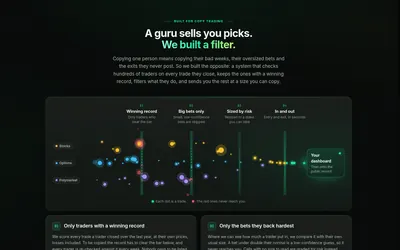

Research a trader signal through its strategy playbooks and public record, with filtered entries and exits showing how positions changed.
- Access Web


A Kalshi-first research assistant with backtests, scheduled alerts and Polymarket comparisons; users execute orders themselves.
- Trading mode Read-only
- Access Web
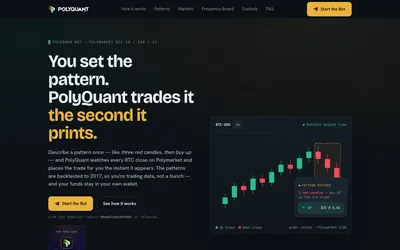

Run your own BTC candle-pattern rules through Telegram, with a separate frequency research board.
- Trading mode Live automation
- Access Web · Telegram
Frequently asked questions about SpectralBot by Cotes
Does it access my Kalshi balance?
The FAQ says the service does not connect to the user’s Kalshi account.
Where do orders happen?
Users place them manually in their own Kalshi accounts after reviewing the linked market.
Is it a Polymarket execution bot?
No. The documented coverage is Kalshi, and the product supplies signals rather than execution.
How long is the free trial?
The published full-feed trial lasts 7 days, followed by a paid subscription whose amount is not displayed publicly.