 PredictionToolkit

What is PrediEdge?
The tape shows large buys and sells with their market, amount and entry price. Users can move from a flagged transaction to the wallet’s positions and the underlying contract, then compare the trade with available liquidity or related activity.
Unusual-flow labels are algorithmic selections, not proof that a trader has private information or has done anything wrong. Historical examples on the landing page illustrate the layout; they should not be interpreted as live signals.
Who it is for
- Users scanning large Polymarket trades.
- Researchers following repeated wallet behavior.
- Traders organizing activity by category and trade size.
Features and coverage
- Whale tape and wallet monitoring
Inspect large buy/sell activity, its market, amount and entry price, then follow the trader and positions behind it.
- Unusual-flow detection
Surface patterns selected by the service’s algorithms as candidates for further research.
- Size and category filters
Narrow the feed to trades above a chosen threshold and market topics relevant to your research.
- Configured alerts
The site describes notifications linked to the selected filters, without publishing a fixed alert-latency commitment.
- Heat map and leaderboard
Use broader market and trader views to add context to individual tape entries.
Workflows with PrediEdge
Investigate a flagged trade
Open its market and wallet, read the contract and compare trade size with available liquidity.
Reduce feed noise
Choose a size threshold and category scope before configuring available alerts.
Look for repeated behavior
Compare a series of related trades rather than treating a single large print as a complete signal.
Pricing and total cost
The landing page links to the app but does not publish numeric subscription prices or a complete usage-limit table. That omission does not establish free access.
Getting started
Before you start: Landing-page examples include historical events and are not live signals.
- Open the official app from the product landing page.
- Choose the whale tape or market view.
- Set relevant categories and size thresholds.
- Inspect the underlying wallet and contract.
- Configure the available alerts for the narrowed feed.
An unusual-activity flag is an algorithmic classification, not proof of informed trading.
Useful links
What to check
- Landing-page examples include historical events and are not live signals.
- Public documentation does not specify alert latency or complete plan limits.
- Monitoring and alerts are documented; automatic copying is not established by those features.
A closer look
Ratings & reviews
User reviews 0
The main score switches to user ratings after 5 published reviews.
A specific example helps the next person choose the right tool.
Related tools
Browse category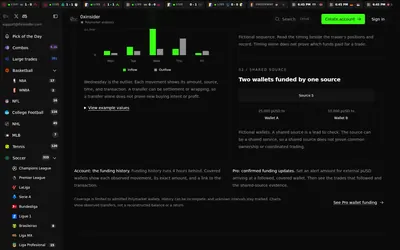

Compare sports prices and graded-wallet exposure, inspect unusual trades and connect the same research to an API.
- Access Web · API · MCP
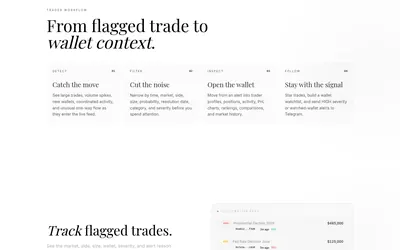
Filter unusual trades, examine wallet context and send high-severity or watched-wallet activity to Telegram.
- Access Web · Telegram
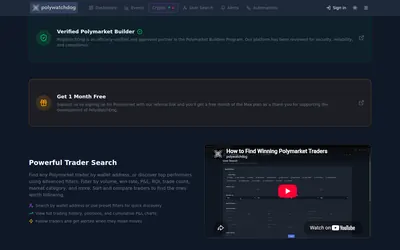
Build a watch screen, define the conditions worth an alert and inspect any copy or webhook action separately.
- Access Web · Telegram · API
Frequently asked questions about PrediEdge
Does PrediEdge automatically copy trades?
The published feature set focuses on monitoring and alerts; it does not establish automatic copy execution.
Can I filter large trades by size?
Yes. Volume-based thresholds are advertised, alongside market-category filters.
Is the product only for sports?
No. The examples span several Polymarket categories.
Where can I compare plan prices?
The public landing page does not provide a numeric subscription or usage-limit table. Review the terms presented inside the app.