 PredictionToolkit
What is PolyWallet?
Choose Today, Weekly, Monthly or All as a period, independently of the Profit/Loss, Volume or Biggest Wins view. Switching to Monthly and Volume changes both ranked rows and labels to volume; it does not rank monthly profitability. Username search and category selection narrow the board further.
Compare a candidate across periods while keeping the metric fixed, then relate reported totals to open positions and concentration. Public activity does not establish a trader’s identity or complete off-platform portfolio. The evidence supports analytics, not an automatic copying service; calculations and identity were not independently verified.
Who it is for
- For wallet researchers comparing trader records across periods and categories.
- For users checking concentration and open positions alongside headline results.
Features and coverage
- Public-wallet lookup
Investigate a public Polymarket address or trader profile and review profit, volume, positions and notable wins together.
- Separate period from metric
Use Today, Weekly, Monthly or All periods with Profit/Loss, Volume or Biggest Wins views. A Monthly Volume rank answers a different question from Weekly Profit/Loss.
- Username and category filters
Narrow the board with username search or category selection after explicitly setting both period and ranking metric.
Workflows with PolyWallet
Compare a candidate over time
Find a wallet and inspect more than one time window while keeping the chosen ranking metric consistent.
Connect totals to exposure
Inspect underlying positions and outstanding exposure alongside the wallet’s reported results before interpreting concentration or performance.
Pricing and total cost
The reviewed public leaderboard was accessible without payment. Paid features and subscription prices were not confirmed; private account functions may have additional access requirements.
Getting started
Before you start: Read wallet PnL and win rates with the selected period and position definitions. No financial performance audit was performed, and observable activity does not establish identity or the full portfolio.
- Open the leaderboard and explicitly choose a period and ranking metric.
- Find a specific wallet or narrow by username and category, then compare positions with performance totals.
Public research runs in the browser; private account features may impose additional requirements.
Useful links
What to check
- Read wallet PnL and win rates with the selected period and position definitions. No financial performance audit was performed, and observable activity does not establish identity or the full portfolio.
A closer look
Ratings & reviews
User reviews 0
The main score switches to user ratings after 5 published reviews.
A specific example helps the next person choose the right tool.
Related tools
Browse category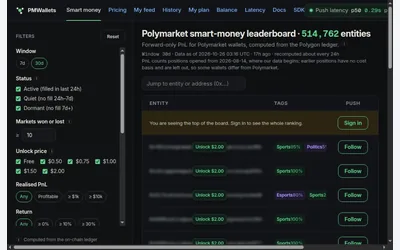

Entity-level wallet research with uncertainty metrics, accounting caveats and explicit address-access costs.
- Access Web
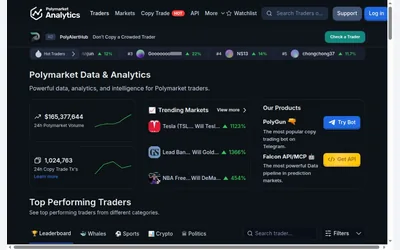

Public trader rankings with category views, detailed numeric filters and wallet/market research.
- Access Web
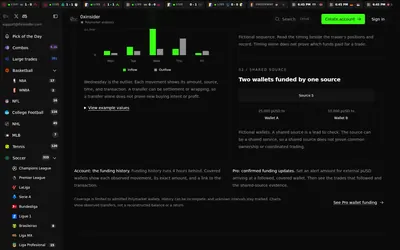

Compare sports prices and graded-wallet exposure, inspect unusual trades and connect the same research to an API.
- Access Web · API · MCP
Frequently asked questions about PolyWallet
Does Volume rank profitability?
No. Volume and Profit/Loss are separate metrics, each using the selected period. High monthly volume alone does not establish high monthly profit.
Does PolyWallet execute copies?
The reviewed evidence supports wallet analytics and does not establish an automatic copy-execution service.