 PredictionToolkit

What is Polysights?
Begin with a market’s odds and volume or start from a wallet. Trader views cover P&L, positions and history for one address or a defined cluster. Research theses, news and discussion can then be read alongside the activity rather than interpreting one trade alone.
An Insider Finder label is a research lead, not confirmation of someone’s identity or insider status. Public pages combine V1 language with upcoming-version labels; the live module determines available controls. Charts, books and account actions are included where supported by the current release.
Who it is for
- Researchers investigating unusual wallet behavior.
- Traders combining market and wallet views.
- Users researching sports through a dedicated dashboard.
Features and coverage
- Market discovery
Browse odds, volume and market filters.
- Trader analytics
Inspect P&L, positions and history for a wallet or defined cluster.
- Insider Finder
Investigate patterns selected by the product’s detection system.
- Research Hub
Read market theses, news and discussion.
- Sports desk
Use a dedicated sports-market view.
- Terminal tools
Charts, books and account actions depend on the current release.
Workflows with Polysights
Investigate a flagged wallet
Open Insider Finder, inspect positions and timing, then compare the trade with the wallet’s other activity and market context.
Build a market view
Choose a market, read the research and inspect its holders or trader profiles.
Pricing and total cost
The reviewed product page does not publish a complete subscription tariff.
Getting started
Before you start: Insider Finder labels require investigation.
- Use Enter Polysights on the official site.
- Choose discovery, Insider Finder or sports, then open a market or wallet.
- Use the account flow for functions requiring your profile or execution access.
A flagged pattern is not a verified insider identity.
Useful links
What to check
- Insider Finder labels require investigation.
- Mixed V1 and upcoming-version labels do not establish live availability.
- Cluster results depend on the addresses included.
A closer look
Ratings & reviews
User reviews 0
The main score switches to user ratings after 5 published reviews.
A specific example helps the next person choose the right tool.
Related tools
Browse category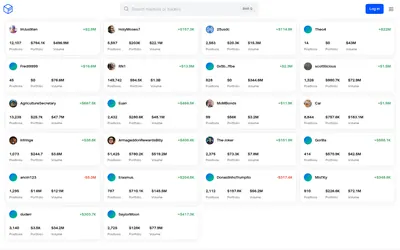

Inspect a trader's positions and P&L, add imported venue history or generate your own yearly wallet report.
- Access Web
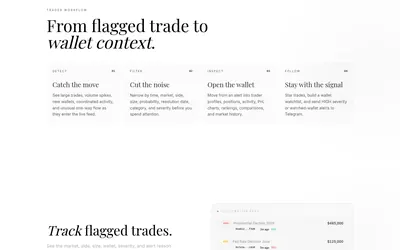

Filter unusual trades, examine wallet context and send high-severity or watched-wallet activity to Telegram.
- Access Web · Telegram

Frequently asked questions about Polysights
What is Insider Finder for?
It helps investigate wallets with unusual or apparently informed activity; it does not verify identities.
Can I focus on sports?
Yes, through the dedicated sports dashboard.
Is it only a trading terminal?
Market data, wallet analytics and research are central parts of the product.