 PredictionToolkit

What is Polymarket Live Ticker?
Presets include breaking-news, politics and sports-related collections. The builder lets creators match a light or dark scene, choose classic, percentage or cent-price presentation and adjust scrolling speed and height. Preview the strip at its actual size so long questions remain readable.
The page gives conflicting refresh descriptions: 5 minutes near the heading and 2 minutes in the setup area. Treat it as a periodically updated overlay rather than an execution-price feed. A category without active markets can be empty. Destination format also matters: OBS Browser Source expects a URL, while a webpage uses the generated embed markup.
Who it is for
- Streamers adding market probabilities to broadcasts.
- Publishers placing a compact market strip in a webpage.
- Creators who want a ticker without developing an API integration.
Topics and learning format
- Presets and custom markets
Preview category feeds or choose the markets for a custom ticker.
- Theme and number format
Match light or dark content and switch between classic presentation, probability percentages and prices in cents.
- Motion and dimensions
Adjust scroll speed and ticker height for the available space.
- Preview before placement
Inspect the ticker before adding it to a scene or page and check long-question readability.
- Streaming and webpage output
Use the generated source URL with OBS or Streamlabs and the embed output in a website.
Learning and reference tasks
Add a broadcast strip
Choose a category, height and speed, preview it and add the source URL as a Browser Source in the streaming software.
Create a topic selection
Choose markets in the custom builder and verify that question length is readable at the chosen speed.
Embed beside an article
Use the generated embed markup and check the result at the page’s actual width before publishing.
Pricing and total cost
The public builder and category previews are available without a listed subscription or account requirement.
How to use this resource
- Choose a category preview or build a custom ticker.
- Set theme, presentation, speed and height.
- Preview the result.
- Copy the source URL for OBS or the embed markup for a webpage.
- Place it in the scene or page.
- Check readability and that the selected feed has active markets.
Useful links
What to check
- The page conflicts between 5-minute and 2-minute refresh descriptions.
- A category with no active markets can display an empty feed.
- OBS Browser Source and webpage embeds expect different formats: URL and markup respectively.
A closer look
Ratings & reviews
User reviews 0
The main score switches to user ratings after 5 published reviews.
A specific example helps the next person choose the right tool.
Related tools
Browse category

Follow themes across event contracts using constructed indices, reference rates, research dashboards and market briefings.
- Access Web · API · Email

Explore Polymarket’s articles and interviews for background, competing arguments and forecasting ideas.
- Access Web · Email
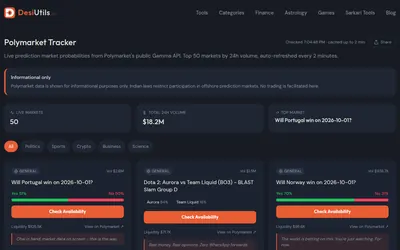

A free, account-free dashboard of 50 high-volume Polymarket questions and their outcome probabilities.
- Access Web
Frequently asked questions about Polymarket Live Ticker
Can I use it in OBS?
Yes. The page documents adding the generated URL as a Browser Source.
Can it display prices in cents?
Yes. Cents and percentage probabilities are available display options.
Is the ticker height adjustable?
Yes. Height and scrolling speed can be set in the builder.
Is this an execution-price data feed?
Its purpose is a periodically refreshed broadcast or website overlay, with conflicting refresh descriptions on the page.