 PredictionToolkit

What is PolyChart?
Select the exact outcome after the extension detects the event’s available outcomes. Free covers longer candle intervals; Pro adds shorter views, indicators and multiple-outcome comparisons. Charts offer historical price context, but they are not executable order-book quotes.
The exported volume series is described as proxy volume rather than a complete record of trading. Desktop alerts use background checks at 60-second intervals, so they are polling-based browser notifications rather than tick-level or server-side monitoring. Panel and alert preferences are retained locally, while Pro entitlement validation uses the provider’s external service.
Who it is for
- Users who prefer OHLC candles to probability lines.
- Researchers comparing price histories across outcomes.
- Desktop users configuring market-price notifications.
Features and coverage
- Floating event panel
Move, resize or minimize the chart and load the event’s automatically detected outcomes.
- Free candle views
Use 1-hour, 4-hour and daily OHLC intervals with an OHLC crosshair, without connecting a wallet or trading account.
- Pro intervals and indicators
Add 5-minute and 15-minute views, MA20, EMA12, Bollinger Bands, RSI14 and MACD.
- Outcome overlays
Pro supports comparisons of up to 8 outcomes on a chart.
- Desktop alerts
Set thresholds for background checks at 60-second intervals and delivery through desktop notifications.
- CSV and preferences
Export timestamps, OHLC and the supplied proxy-volume field, and retain panel and alert settings locally.
Workflows with PolyChart
Inspect price structure
Open the correct event, choose its outcome and select the candle interval before interpreting patterns.
Compare outcomes
Overlay related outcome histories on Pro and examine whether their patterns actually differ.
Configure a notification
Set the price threshold and enable browser notifications. Expect polling and desktop delivery rather than per-tick alerts.
Pricing and total cost
The store lists free core charts and 3 Pro purchase options.
Free
US$0
- 1H, 4H and 1D candles.
- OHLC crosshair.
- No wallet or trading-account connection.
Pro monthly
US$12.99/month
- Short intervals, indicators and overlays.
- Alerts and CSV export.
Pro annual
US$129/year
- Pro features.
Pro lifetime
US$89 once
- The published lifetime offer.
Getting started
Before you start: The volume series is a proxy, not complete exchange trade volume.
- Install from the official Chrome listing.
- Open a supported Polymarket event page.
- Choose the exact outcome and position the floating panel.
- Select an interval and any available indicators.
- Enable notifications if using price alerts.
The supplied volume is proxy volume and does not represent a complete traded-volume record.
Useful links
What to check
- The volume series is a proxy, not complete exchange trade volume.
- Alerts use desktop notifications and checks roughly every 60 seconds.
- Historical candles are not executable quotes.
- Pro validation depends on the provider’s external entitlement service.
A closer look
Ratings & reviews
User reviews 0
The main score switches to user ratings after 5 published reviews.
A specific example helps the next person choose the right tool.
Related tools
Browse category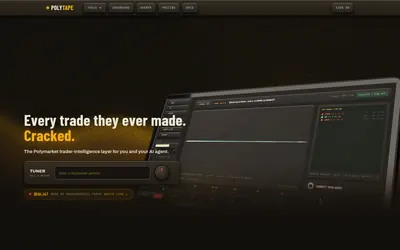

Read the sequence behind a trader’s result through market-level fills, position replay and saved activity.
- Access Web · API · MCP
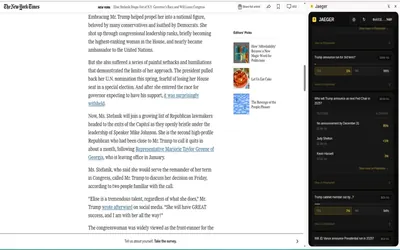

A Chrome extension that finds related Polymarket questions from a webpage, selection or Twitter/X post.
- Access Browser extension
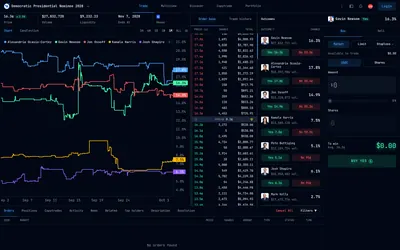

A web terminal combining outcome tables, chart context, detailed depth and an order-entry workspace.
- Trading mode Manual
- Access Web
Frequently asked questions about PolyChart
Do charts require connecting my wallet?
The listing describes access without a wallet or trading-account connection.
Can I compare multiple outcomes?
Pro supports up to 8 outcome overlays.
Are alerts instantaneous?
No. They use 60-second background checks and desktop notifications.
Does CSV volume represent actual exchange volume?
The listing calls the provided series proxy volume; it is not a complete traded-volume record.