 PredictionToolkit

What is PMXT open-source SDK?
Adapters expose markets, books, positions and orders where supported. The repository's capability matrix matters because methods and write access vary by venue and mode. CLI and MCP packages offer related terminal and assistant pathways, and migration support covers Dome-style integrations.
Self-hosting the MIT-licensed code is free of package charges, but requires operating runtime and storage. The local Python workflow still needs Node.js for pmxt-core. Hosted catalog identifiers and venue-native IDs belong to different contexts; installing the SDK does not grant hosted plan allowances.
Who it is for
- Developers integrating several venues.
- Teams operating their own backend.
- Projects migrating venue-specific or Dome-style integrations.
Features and coverage
- Python and TypeScript
Use pmxt or pmxtjs with a common high-level interface.
- Local backend
Operate pmxt-core instead of hosted infrastructure.
- Venue adapters
Query markets, books, positions and orders where supported.
- Capability matrix
Check venue and method differences in the repository.
- CLI and MCP
Related packages expose terminal and assistant access.
- Migration support
Use documented Dome-style migration tooling.
Workflows with PMXT open-source SDK
Prototype adapters
Run the same bounded market query on two venues, compare IDs and read the matrix before adding orders.
Select a runtime
Choose hosted catalog infrastructure or local pmxt-core with venue-native credentials and self-operated execution.
Pricing and total cost
MIT-licensed code is free to self-host. Runtime, storage and applicable venue costs remain yours. Hosted PMXT plans are a separate service.
Getting started
Before you start: Methods and write access vary by venue and mode.
- Open the official repository and package links.
- Install the chosen client and Node.js for local pmxt-core.
- Select hosted or self-hosted mode explicitly.
- Start with market reads and no writes.
- Add only the venue credentials and methods your application needs.
Local Python use still requires the Node.js backend.
Useful links
What to check
- Methods and write access vary by venue and mode.
- Hosted catalog IDs and venue-native IDs are not interchangeable.
- Installing the open-source package does not include hosted allowances.
A closer look
Ratings & reviews
User reviews 0
The main score switches to user ratings after 5 published reviews.
A specific example helps the next person choose the right tool.
Related tools
Browse category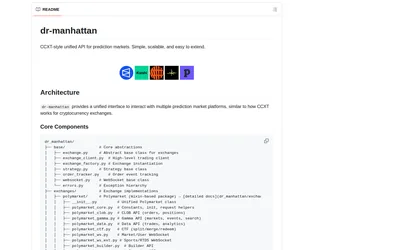
Use shared Python market and order methods across venues, with optional local or hosted MCP access.
- Language Python
- Access API · MCP
Search and match markets across venues, retrieve history and use supported trading methods with one hosted key.
- Access API
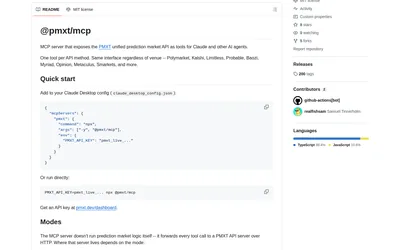
An MCP bridge to PMXT data and supported account methods, using your chosen hosted or local backend.
- Access MCP
Frequently asked questions about PMXT open-source SDK
Is local Python entirely Python at runtime?
No. It uses Node-based pmxt-core.
Do I need a PMXT API key?
Self-hosted mode uses the local backend and venue-native access where required.
Does every venue implement every method?
No. Consult the feature-support matrix.