 PredictionToolkit

What is pmxt archive?
The original archive destination now redirects to general PMXT documentation. Use the explicit V1 and V2 mirror links to locate hourly capture files and read the relevant format before parsing. Parquet, Python and DuckDB belong to the documented data workflow, but a parser still needs to respect the selected version’s schema.
These eras came from earlier single-recorder captures. Missing hours and missed markets require coverage checks, while colliding millisecond timestamps can leave ordering within a millisecond unrecoverable. A checksum can verify a downloaded file against its listed value; the existence of an hourly file does not prove that every market was captured.
Who it is for
- Reproducing research built from PMXT archive files.
- Finding earlier observations of Polymarket books.
- Comparing data schemas and coverage across capture versions.
Features and coverage
- Capture-era index
Locate available PMXT V1 and V2 intervals in Pendulum Flow’s mirror index.
- Public downloads
Retrieve archived capture files without a trading account.
- Format by version
Read the selected era’s format notes before interpreting its rows.
- File integrity
Check downloaded files against the checksum list for their mirrored prefix.
- Coverage audit
Inspect absent hours and markets omitted by the recorder.
- Later capture eras
Use the index to find adjacent later captures while preserving their different formats and collection boundaries.
Workflows with pmxt archive
Reproduce an earlier result
Identify whether the analysis used V1 or V2, locate the same hours and verify checksums. Preserve the original schema assumptions so a version change does not silently alter the result.
Extend a time interval
Read each capture era separately, normalize the fields you need and record boundaries and gaps. Establish compatibility before joining rows from different eras.
Pricing and total cost
The mirror provides historical capture files without a download charge. It does not represent a hosted API plan: evaluate the current PMXT service's pricing and included access separately from obtaining those older files.
Getting started
Before you start: Millisecond timestamp collisions can prevent recovery of the event order within a millisecond.
- Open Pendulum Flow’s archive index.
- Select PMXT V1 or V2 and the hours you need.
- Read that era’s format notes and coverage audit.
- Verify files against the mirrored prefix’s checksum list.
- Run a small query for a specific market before processing a long interval.
The mirrored eras use earlier single-recorder captures, so coverage must be checked for the period and markets you need.
Useful links
What to check
- Millisecond timestamp collisions can prevent recovery of the event order within a millisecond.
- An hourly file does not establish complete market coverage.
- V1, V2 and later eras require version-specific schema handling and explicit boundaries.
- The original PMXT archive destination redirects to general documentation; use the explicit mirror links for files.
A closer look
Ratings & reviews
User reviews 0
The main score switches to user ratings after 5 published reviews.
A specific example helps the next person choose the right tool.
Related tools
Browse category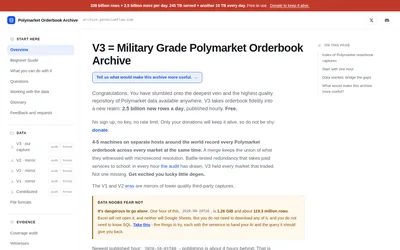

Inspect hourly Parquet files and coverage audits before reconstructing historical Polymarket depth.

Search and match markets across venues, retrieve history and use supported trading methods with one hosted key.
- Access API
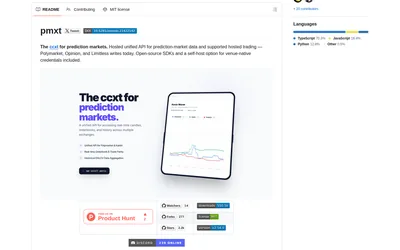
Use one Python or TypeScript interface across supported prediction venues, with an explicit hosted or local backend choice.
- Language Python · TypeScript
Frequently asked questions about pmxt archive
Is this the PMXT SDK?
No. These are historical capture files. The SDK is a separate integration product, and the current hosted API is another offering.
Where can I find the files?
Pendulum Flow’s archive index links the mirrored PMXT V1 and V2 prefixes.
Can I join these files directly with V3?
First normalize the schemas and preserve capture-era boundaries and gaps; do not assume the rows are interchangeable.
Does a free download include current trading services?
No. Free archive downloads do not grant access to PMXT’s current hosted trading API.