 PredictionToolkit

What is HuskyWeather?
Start with the contract's named station, date, temperature definition and resolution source. A station reading needs to be interpreted against those terms. Compare observations with expected model highs, cloud development and peak timing, while remembering that sensor cadence and availability vary by station.
Basic conditions, decoded TAF and daily METAR reports are free. Registration adds multi-model highs and station warming history. Pro expands the web research views, including between-METAR temperatures where supported, radar and profitable-wallet positions in station temperature buckets. Do not assume that every web Pro feature is available identically in Telegram.
Who it is for
- Researching a temperature contract tied to a particular station.
- Checking forecast models against observed weather.
- Studying how wind and clouds affect the daily high.
Features and coverage
- Station overview
Compare the day's observations with expected model highs at the selected station.
- Decoded weather reports
Read METAR conditions and TAF forecasts in decoded form.
- Station warming history
Inspect seasonal station behavior and the associated wind context.
- Model comparison
Compare highs from multiple models after registering a free account.
- Satellite context
Inspect cloud development over the station.
- Live sensor readings
Pro adds temperature readings between METAR reports at supported stations.
- Precipitation radar
Use Pro's local radar view to add precipitation context.
- Conditions edge
Pro shows historical deviations of models under particular weather conditions.
- Wallet research
Pro displays positions of profitable wallets in the station's temperature buckets.
Workflows with HuskyWeather
Research a contract
Match the station, date and temperature definition in the contract before opening the corresponding terminal view.
Follow the daily high
Compare observed readings, cloud cover and the expected timing of the temperature peak.
Check a model estimate
Review station history and the conditions associated with systematic forecast deviations.
Pricing and total cost
Basic station conditions, decoded TAF and daily METARs are free. A free account adds multi-model highs and Heating Passports, the station warming-history views. Pro adds the station brief, conditions edge, smart money, live temperature, nearby stations and radar. A reliable numeric Pro price was not established in the reviewed public material.
Getting started
Before you start: Sensor cadence and availability vary by station.
- Open the official Telegram bot or web terminal.
- Find the station named in the contract's resolution rules.
- Read the current observations for that station.
- Create a free account if you need the model and history views.
- Consider Pro for its additional research views, checking which interface provides the feature you need.
Web Pro features are not established as identically available in the Telegram chat.
Useful links
What to check
- Sensor cadence and availability vary by station.
- Use the contract's named resolution source when interpreting a weather reading.
- Web and Telegram feature availability can differ.
- The reviewed public material did not establish a reliable numeric Pro price.
A closer look
Ratings & reviews
User reviews 0
The main score switches to user ratings after 5 published reviews.
A specific example helps the next person choose the right tool.
Related tools
Browse category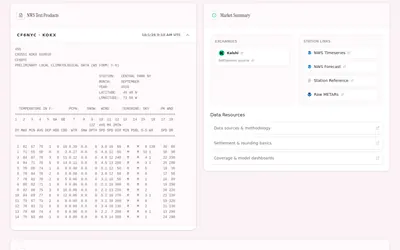

Weather-contract research organized by observation station, market date and settlement references.
- Access Web
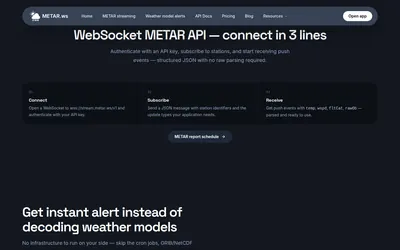
Stream airport reports and station-level model signals for weather research without building a GRIB parsing pipeline.
- Access API
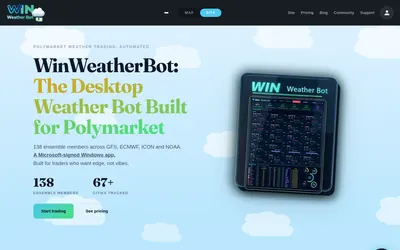

A Windows temperature-market scanner and bot with station mapping, exposure caps and configured volatility/drawdown stops.
- Trading mode Live automation
- Access Windows
Frequently asked questions about HuskyWeather
Is there an official Telegram bot?
Yes. The documented bot is huskyweatherbot.
What is available free?
Station conditions, decoded TAF and daily METARs remain free. A free account adds model comparisons and station warming history.
Does the terminal place orders?
The reviewed functions are weather and wallet research; they do not establish an order-placement workflow.