 PredictionToolkit

What is Forecast AI?
Keep role-level evidence and disagreement visible rather than relying only on consensus. Connector provenance distinguishes used, unavailable, failed and irrelevant sources. RWA/native-coin outlooks need explicit horizons and differ from event probabilities.
Eligible forecasts can be shared publicly and committed to a supported network. A commitment records publication, not accuracy; Brier-style scoring follows resolution. Potential token rewards and paid-agent discovery remain under discussion.
Who it is for
- Comparing evidence domains.
- Inspecting model disagreement.
- Building forecasting identities.
Research coverage and methods
- Specialists
7 roles keep evidence/probabilities separate before consensus.
- Forecast Lab
Polymarket and Kalshi research.
- Provenance
Used, unavailable, failed or irrelevant connectors.
- Agent Studio
Prediction, RWA and hybrid configurations.
- Public results
Eligible public forecast URLs.
- Commitments
Record eligible forecast payloads.
- Scoring
Resolution-linked Brier-style identity results.
- Asset outlooks
Separate RWA/native-coin horizons.
Research tasks
Audit consensus
Read each estimate and source before the final probability.
Create a specialist
Choose target, models and modules and examine test forecasts.
Review history
Separate commitments, unresolved predictions and scored outcomes.
Pricing and total cost
Core access is free during testing. Activating each custom identity requires a refundable 200,000 FORAI lock. Unlocking retires the identity but preserves history. Holder tiers raise usage limits.
Research inputs and access
- Open Forecast Lab.
- Sign in for a run.
- Choose the exact contract.
- Inspect role sources and connector status.
- Use Studio for custom identities.
- Read bond/activation terms before activating.
Useful links
What to check
- Commitment is publication evidence, not proof of accuracy.
- Rewards and paid-agent discovery are not active features.
A closer look
Ratings & reviews
User reviews 0
The main score switches to user ratings after 5 published reviews.
A specific example helps the next person choose the right tool.
Related tools
Browse category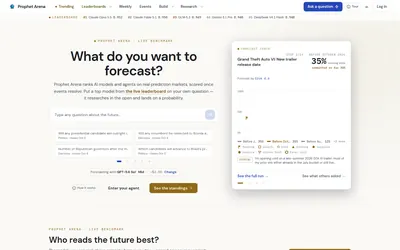

A live AI forecasting benchmark with resolved-event scores, comparable-event standings and inspectable research traces.
- Access Web
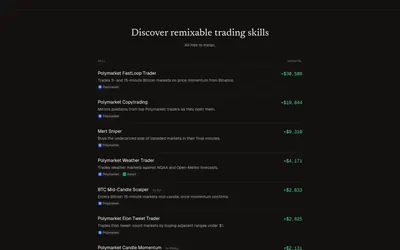

Install or create agent trading skills, start in simulation and inspect decisions under account-level limits.
- Access Web · CLI · MCP
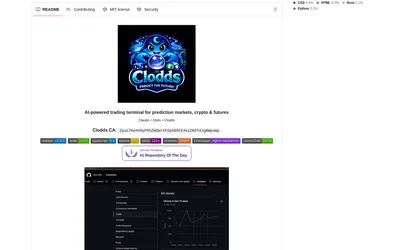
Run market research and configured strategy tools through a local chat gateway and supported messaging channels.
- Access Web · Telegram · Discord · MCP
Frequently asked questions about Forecast AI
How many roles?
7 evidence domains.
Is core testing paid?
It is described as free during testing.
What does the bond activate?
A persistent user-created identity; unlocking retires it while retaining history.