 PredictionToolkit
What is WhaleTrack?
The dashboard brings together displayed P&L, open bets, market movers and consensus among tracked wallets. Read supporting and opposing positions together: a wallet can hold both sides, and the timing and remaining size of a position matter alongside its headline result.
Premium targets trades of at least $5,000 and describes a typical alert delay of around 2 minutes. That is provider-stated timing, not independently established latency or an instantaneous execution feed. Messages add outcome, entry price, amount and wallet statistics, with links to inspect the contract; a Copy Bet link does not establish ongoing automated portfolio copying.
Who it is for
- Following a manageable set of public wallets.
- Checking agreement and opposition among tracked whales.
- Receiving Telegram notifications instead of repeatedly checking the dashboard.
Features and coverage
- Whale dashboard
Inspect the selected wallets, their displayed P&L and open bets.
- Consensus
Compare same-side wallets and opposing positions where shown.
- Market movers
Browse price and volume activity through the available topic tabs.
- Large-trade alerts
Premium targets trades of at least $5,000 with a provider-described typical delay around 2 minutes.
- Message context
Read the outcome, entry price, trade amount and wallet statistics in an alert.
- Research commands
Use /whales, /winrate, /positions and /setminbet to inspect the tracked set and configure the filter.
- Contract links
Open the underlying market from the dashboard or notification.
Workflows with WhaleTrack
Investigate consensus
Before treating a market signal as wallet agreement, inspect both the supporting and opposing positions behind it. Compare their opening times and remaining holdings so an old or mostly exited position does not carry the same interpretation as a current one.
Use alerts as a shortlist
Set the minimum-trade filter, receive an alert and open the current contract. Compare its timestamp and present price before deciding whether the activity is still relevant.
Review a whale
Compare open positions with realized-result context instead of relying on the headline P&L alone.
Pricing and total cost
The public dashboard is accessible without a paid plan. Premium costs $9/month and adds Telegram delivery and bot access.
Premium
$9/month
- Large-trade Telegram alerts
- Private research-bot commands
- Minimum-bet filter
Getting started
Before you start: The typical delay of around 2 minutes is a provider description; independently measured latency is not established.
- Explore the dashboard and the selected wallets it follows.
- Read a consensus card and open its underlying market.
- Subscribe to Premium if you need Telegram delivery.
- Join through the provider’s invitation and configure the bot filter.
- Check the alert time and current contract price before using the information.
Monitoring is limited to the selected wallet list, not every Polymarket account.
Useful links
What to check
- The typical delay of around 2 minutes is a provider description; independently measured latency is not established.
- A Copy Bet link does not establish ongoing automatic copying.
- Displayed payout examples depend on the selected outcome winning.
- A wallet can hold both sides; inspect its complete position context.
A closer look
Ratings & reviews
User reviews 0
The main score switches to user ratings after 5 published reviews.
A specific example helps the next person choose the right tool.
Related tools
Browse category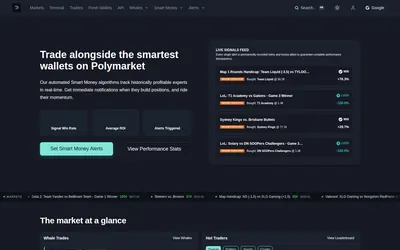
Watch outcome prices and wallet changes, receive email or Telegram alerts, and investigate markets in the terminal.
- Trading mode Paper
- Access Web · Telegram · Email
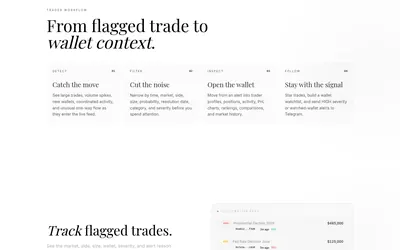
Polymarket trade investigation with wallet context, feed filters and Telegram notifications for high-severity events or watched wallets.
- Access Web · Telegram
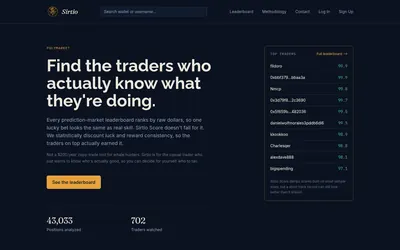

A public ranking that adjusts realized returns for consistency and sample size, with provisional scores for smaller records.
- Access Web
Frequently asked questions about WhaleTrack
Can I view the dashboard without paying?
Yes. The public tracker is available before purchasing Premium.
What does Premium add?
Telegram alerts for large trades and private research-bot commands.
Can I filter by trade size?
The bot documents /setminbet for the minimum-bet filter.
Does it automatically copy every trade?
The public workflow provides alerts and contract links. Those links do not establish ongoing automated execution.