 PredictionToolkit

What is Wallet V?
The wallet supports selected Bitcoin, Solana and EVM-network assets and routes supported conversions through integrated providers. Advertised smart-money views add flow context, while account screens expose supported positions and wallet operations. Self-custody keeps wallet backup, recovery and signing in the user’s workflow.
The AI-agent setup lets users choose a model, pairs, prompt and risk limits in the perpetuals product. Displayed performance cohorts refer to Hyperliquid and Aster, so they do not demonstrate Polymarket automation or results. The provider says supported AI integrations need no separate model subscription; that does not establish a complete trading-fee schedule.
Who it is for
- For mobile users managing several on-chain venues, swaps and funding from one wallet.
- For traders wanting prediction markets beside other account activity, with clear separation from AI perpetuals.
Features and coverage
- Official mobile market access
Use iOS or Android downloads and open the dedicated Polymarket integration to inspect event contracts and quotes.
- Assets, swaps and bridges
Manage supported Bitcoin, Solana and EVM assets, use integrated conversion providers and inspect advertised flow views, positions and wallet operations.
- Separate AI perpetual workflow
Set model, pairs, prompt and risk limits within perpetual trading. Supported AI integrations are described as requiring no separate model subscription; their displayed results concern Hyperliquid and Aster.
Workflows with Wallet V
Identify the prediction account
Select Polymarket, confirm the exact account and inspect the contract, network and final order quote.
Plan a funding route
Check the destination network, supported asset and bridge route before transferring between venues.
Keep perpetual controls in scope
Configure pairs and loss limits in the perpetuals product without assuming that its controls or performance apply to prediction contracts.
Pricing and total cost
Official app-store downloads are offered. The product page does not show a complete Polymarket fee schedule; costs depend on the selected action and connected venue and should be checked in the final quote.
Getting started
Before you start: Self-custody includes responsibility for wallet recovery and signing. Reward points are separate from withdrawable trading balances.
- Install from an official store link and create or import the intended wallet.
- Review backup and account setup before opening the Polymarket integration.
- Confirm network, account, contract and final quote for the action you intend to take.
Published AI-agent performance relates to Hyperliquid and Aster, not to Polymarket execution.
Useful links
What to check
- Self-custody includes responsibility for wallet recovery and signing. Reward points are separate from withdrawable trading balances.
A closer look
Ratings & reviews
User reviews 0
The main score switches to user ratings after 5 published reviews.
A specific example helps the next person choose the right tool.
Related tools
Browse category

A social prediction app with documented trader copying, limit orders and released combos.
- Access iOS · Android
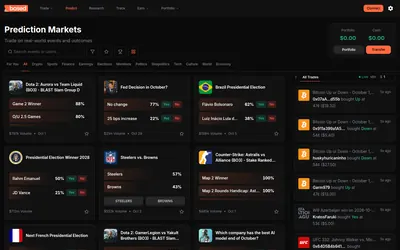
Web and mobile prediction trading with a market calendar, multiple discovery views and public portfolio analysis.
- Trading mode Manual
- Access Web · iOS · Android
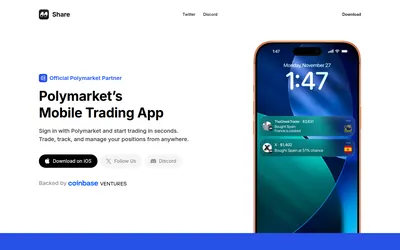

An iOS Polymarket interface combining market charts, positions, public-wallet notifications and social copy discovery.
- Access iOS
Frequently asked questions about Wallet V
Which mobile systems are offered?
The provider offers official iOS and Android downloads with a dedicated Polymarket integration.
Are the displayed AI results Polymarket results?
The displayed cohort is identified as Hyperliquid and Aster; it should not be interpreted as a demonstrated Polymarket bot result.