 PredictionToolkit

What is PredictShark?
The displayed prices are explicitly midpoints. Actual bid and ask prices, available depth and the price filled for an order can differ. Use the table to shortlist questions before checking the venue’s book.
Past-dated questions appeared under Active Markets in the source record. That label does not guarantee an unresolved contract or fresh data. Statistics described as coming soon should not be treated as available functionality.
Who it is for
- Users who prefer a compact sortable table.
- Researchers narrowing markets by price and volume.
Features and coverage
- Numeric ranges
Set lower and upper volume and midpoint-price bounds, alongside keyword search.
- Category exclusions
Remove sports or crypto when narrowing the market list.
- Separate research views
Main navigation links to trader and live-activity sections; these are distinct from the market table.
Workflows with PredictShark
Build a shortlist
Apply volume, midpoint and category filters, then inspect question wording and end dates.
Validate a candidate
Open the original venue contract, confirm status and inspect the bid, ask and depth that can actually be filled.
Pricing and total cost
The market table is publicly accessible; premium and execution charges are not established.
Access: Browsing does not require login. Connect and Log In are separate actions.
Getting started
Before you start: Past-dated rows appeared in the active table.
- Open Markets and search or apply volume, price and category filters.
- Read the question and end date.
- Verify status and order-book quotes on the original venue.
Public table access is separate from login or connection; its Active Markets label does not establish current contract status.
Useful links
What to check
- Past-dated rows appeared in the active table.
- Midpoint prices are not executable offers.
- Coming-soon statistics are not established as available.
A closer look
Ratings & reviews
User reviews 0
The main score switches to user ratings after 5 published reviews.
A specific example helps the next person choose the right tool.
Related tools
Browse category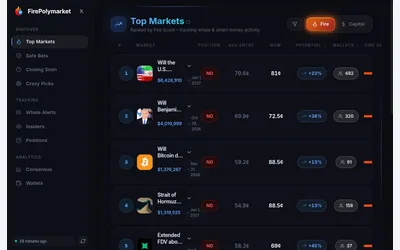

Find Polymarket research leads through wallet activity, large positions and markets approaching their end.
- Access Web
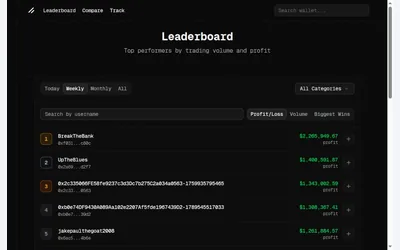
Public wallet discovery with separate period and ranking metrics, plus positions and performance context.
- Access Web
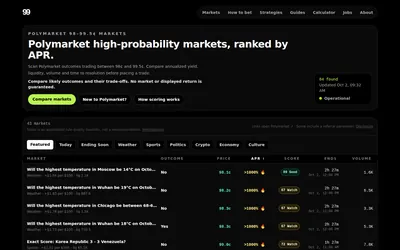

A focused near-resolution table of prices, payout, time, liquidity and automated rule-quality scores.
- Access Web
Frequently asked questions about PredictShark
Can I trade at the displayed price?
The table labels prices as midpoints. The actual bid, ask and fill for a given size can differ.
Does Active Markets guarantee an unresolved contract?
No. Past-dated rows were present in the source record; verify upstream status.
Is login required to browse?
The public table can be browsed separately from Connect and Log In actions.