 PredictionToolkit

What is PolyVexa?
Paper Mode provides a stage for reviewing simulated fills, fees, open positions and PnL before considering live execution. Separate budgets and maximum trade sizes help distinguish the exposure assigned to different configurations.
Moving a configuration to live trading is a separate process with wallet-readiness and configuration checks. Upgrading a subscription does not by itself activate every strategy. The homepage workspace is an example, not a public account’s performance record.
Who it is for
- Users comparing several copying rules for the same leader.
- Traders who want explicit reasons for skipped signals.
- Users allocating separate budgets to different copy configurations.
Features and coverage
- Per-leader rules
Choose a source trader, markets and signal behavior for each configuration.
- Paper positions and decisions
Inspect simulated fills, estimated fees, open positions, PnL and skipped signals together.
- Budgets, filters and cooldowns
Set configuration budgets and maximum trade sizes, then restrict when a source signal may become an order.
- Decision logs and exposure
Read the rule or limit behind each decision and its sizing context, while monitoring open exposure across active configurations.
- Separate live promotion
Review the paper record and complete wallet-readiness checks before enabling a selected configuration for live trading.
Workflows with PolyVexa
Compare copy rules
Keep the leader constant while testing a sizing or filtering choice. Put each variant in its own paper configuration, alter only that setting, and compare both executed simulations and skipped signals.
Explain a skipped signal
Open its decision log and check the budget, maximum order size, filter and cooldown that applied.
Activate one strategy
Review its paper history, wallet readiness and limits, then promote only the intended configuration.
Pricing and total cost
Trial is paper-only and advertises no card requirement. Pro adds live workflows; Elite is temporarily unavailable for new subscriptions.
Trial
$0
- 3 paper configurations
- Leader discovery and decision logs
- No live trading
Pro
$49/month
- 15 paper and 5 live configurations
- 75 watched traders
- Notifications
Elite
$99/month; new subscriptions temporarily unavailable
- 50 paper and 15 live configurations
- 250 watched traders
Fees and usage costs
- Pro advertises $24.50 for the first month, then $49/month.
Getting started
Before you start: Paper fills and fee estimates are simulations.
- Create a Trial account and select a leader.
- Set the budget, maximum order size, filters and cooldown.
- Run Paper Mode and inspect copied and skipped decisions, positions and exposure.
- For live use, choose an eligible plan and complete wallet-readiness checks before promoting the selected configuration.
Trial does not execute live trades; live promotion requires an eligible plan and readiness checks.
Useful links
What to check
- Paper fills and fee estimates are simulations.
- The homepage workspace is illustrative, not a public account record.
- Elite is temporarily unavailable for new subscriptions.
- A subscription upgrade and live activation are separate actions.
A closer look
Ratings & reviews
User reviews 0
The main score switches to user ratings after 5 published reviews.
A specific example helps the next person choose the right tool.
Related tools
Browse category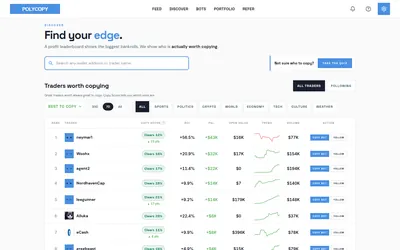

Explore trader activity, rehearse a copying strategy with paper bots, or automate live orders with your own budget.
- Trading mode Paper · Manual · Live automation
- Access Web
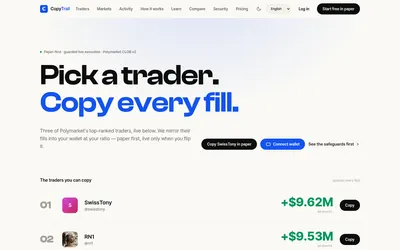

Start in paper mode, size copies by ratio and use explicit budgets, slippage and live activation controls.
- Trading mode Paper · Live automation
- Access Web
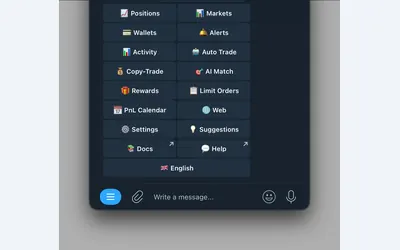

Polymarket wallet research, configurable copying and crypto or sports automation in Telegram and a connected web terminal.
- Trading mode Manual · Live automation
- Access Web · Telegram
Frequently asked questions about PolyVexa
Does Trial require a card?
The Trial is advertised without a card requirement and supports paper trading only.
Where can I see why a trade was skipped?
The decision log records the applicable rule or limit, including the sizing context.
How many live configurations does Pro include?
Pro includes up to 5 live configurations, alongside 15 paper configurations.
Does upgrading turn every configuration live?
No. Live promotion is a separate workflow with wallet-readiness and configuration checks.