 PredictionToolkit

What is PolySniper?
The cost model sums relevant YES-side asks and adds a fixed 0.02 buffer. That additive amount belongs to the scanner’s model and is not a universal venue-fee claim. Volume-weighted prices and depth estimates add execution context, but a complete set still requires the correct exhaustive outcomes and fills on every intended leg.
Use badges to tell CLOB-verified data from fallback estimates. Yellow means some or all book checks were unavailable; Gamma-only entries have not been fully checked against executable asks. Read ROI with annualized APR and time remaining, and adjust minimum depth, APR and refresh settings. A movable panel sits on Polymarket pages, with sound or desktop alerts on Pro.
Who it is for
- Users researching complete-set prices in negative-risk events.
- Traders wanting ask-side checks rather than midpoint sums.
- Users preferring browser notifications to another scanner app.
Features and coverage
- Gamma screen and CLOB checks
Start with broad event screening, then verify candidate outcome books.
- Ask-side complete-set cost
Sum relevant YES asks and apply the scanner’s fixed additive cost buffer.
- Depth and verification status
Inspect volume-weighted prices, estimated executable depth and CLOB-verified, mixed or Gamma-only badges.
- ROI and annualized APR
Compare return calculations with remaining time so a high annualized number does not hide a small trade margin.
- Floating panel and thresholds
Move the panel on Polymarket pages and set minimum APR, depth and refresh interval.
- Pro notifications
Receive sound or desktop alerts for signals meeting the configured thresholds.
Workflows with PolySniper
Inspect a candidate signal
Open the signal, check its verification badge and review ask-side depth for every outcome.
Filter shallow events
Raise minimum depth and inspect the smallest available leg before choosing the complete-set size.
Read the actual remaining margin
Compare ROI with APR and remaining time before interpreting a short-duration gap.
Pricing and total cost
Free scanning is available, with a Pro upgrade whose subscription price is not given in the store description. Check the extension’s Account screen for its actual terms.
Free
$0
- 5 visible signals per scan
- 100-market scan
- 60-second refresh
- No account or API key required
Pro
See extension account screen
- Refresh as low as 5 seconds
- Sound and desktop alerts
Getting started
Before you start: The scanner adds a fixed 0.02 cost buffer, which is a modeling assumption rather than a universal venue fee.
- Install the extension, open its popup and wait for the first scan to finish.
- Set minimum depth and APR, inspect badges and books, then open the event to review its full outcome set.
- Use the Account tab to inspect actual Pro pricing and terms.
The fixed 0.02 additive buffer is the scanner’s model, not a universal venue-fee rate.
Useful links
What to check
- The scanner adds a fixed 0.02 cost buffer, which is a modeling assumption rather than a universal venue fee.
- Gamma-only fallback signals are not fully verified against executable asks.
- The extension does not place orders or connect to a trading wallet.
- Complete-set execution needs the correct exhaustive outcomes and fills on all intended legs.
A closer look
Ratings & reviews
User reviews 0
The main score switches to user ratings after 5 published reviews.
A specific example helps the next person choose the right tool.
Related tools
Browse category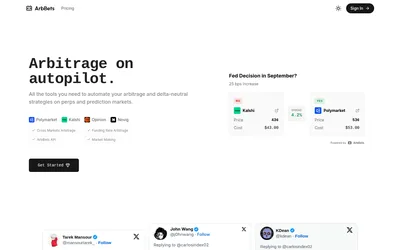
Scan matched outcomes across venues and inspect sizing, prices and costs through the web app or paid API.
- Access Web · API
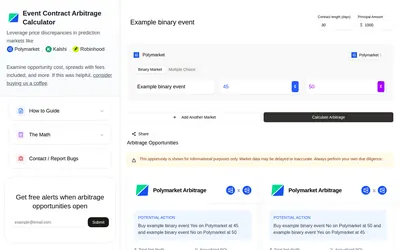

Calculate multi-leg scenarios using displayed prices, capital, outcome structure and days to completion.
- Access Web
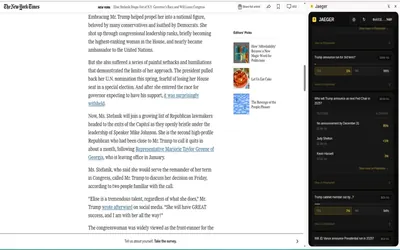

A Chrome extension that finds related Polymarket questions from a webpage, selection or Twitter/X post.
- Access Browser extension
Frequently asked questions about PolySniper
Does it trade automatically?
No. It detects signals and links to the event for venue-side execution.
What does a yellow signal mean?
Some or all book checks were unavailable, so fallback data was used.
What is the Free refresh interval?
Free refreshes every 60 seconds.
Is APR the return on this individual trade?
No. It annualizes ROI using remaining time. Read the actual ROI alongside it.