 PredictionToolkit

What is PolyHelper?
Rather than collecting every event in a separate terminal, PolyHelper extends the native market page. Candlestick charts and volume sit beside contract information, while dedicated panels provide context for equities, elections, esports, UFC and other categories.
Holder and profile views add another perspective: who holds an outcome, how their record changes across periods and which side a commenter holds. External prices and forecasts help research a question; the contract’s settlement rules still decide its outcome.
Who it is for
- Researching events while staying on Polymarket.
- Comparing contract prices with outside data across several event categories.
Features and coverage
- Event-specific panels
Find research suited to crypto, stocks, sports, macro, weather, elections, esports and UFC.
- Price charts
Read candlesticks over several timeframes with volume overlays for the underlying asset.
- Holder analysis
Compare the top 10, 20 or 50 holders and P&L over 24 hours, 7 days, 30 days or all time.
- News context
Use relevant X feeds, conflict monitoring and PizzINT alongside the event.
- Bookmaker comparison
Inspect outcome prices against individual bookmakers’ odds.
- Wallet history
Use profile analytics and a daily P&L calendar to examine a trader’s record.
- Liquidity research
Inspect LP rewards and filter the bonds scanner by incentives, price, time and volume.
- Comment context
Filter comments by YES/NO holding side and position.
- Token launches
The pre-market panel combines price, FDV, open interest, volume and fundraising context.
Workflows with PolyHelper
Research the underlying event
Open its context panel, compare the external measurement with the contract and follow the original data source when precision matters.
Examine large holders
Choose a holder count and period, then compare the biggest positions with the traders’ broader histories.
Read a sports price difference
Identify the bookmaker and outcome behind a displayed difference before evaluating an order.
Pricing and total cost
Installation through the official extension listing is free.
Getting started
Before you start: The installation guide lists Chrome, Brave, Edge and Opera; Firefox and Safari are not listed as supported.
- Follow the install link from the official site to the browser listing.
- Install in a supported browser and open a Polymarket event.
- Enable the relevant panels and use the documentation to adjust them.
Available panels depend on the event category and external data.
Useful links
What to check
- The installation guide lists Chrome, Brave, Edge and Opera; Firefox and Safari are not listed as supported.
- Bookmaker odds and forecasts follow their own update schedules.
- Panel coverage varies by category. Research panels do not change a contract’s settlement rules.
A closer look
Ratings & reviews
User reviews 0
The main score switches to user ratings after 5 published reviews.
A specific example helps the next person choose the right tool.
Related tools
Browse category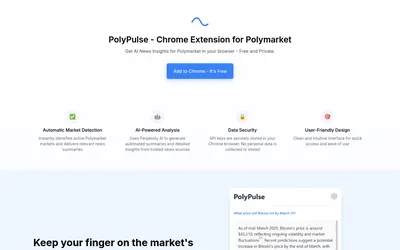

Generate a news summary for a Polymarket question, then refresh it when new developments matter.
- Access Browser extension
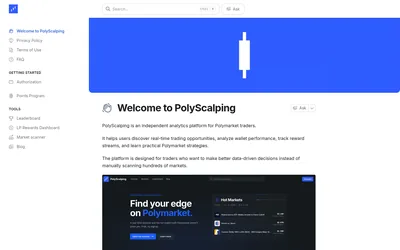

Save market scans, compare wallets and track the rewards behind liquidity provision.
- Access Web
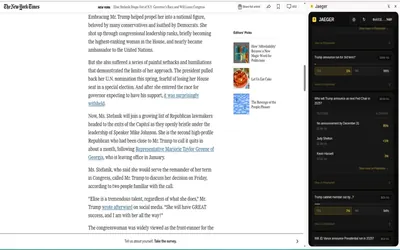

A Chrome extension that finds related Polymarket questions from a webpage, selection or Twitter/X post.
- Access Browser extension
Frequently asked questions about PolyHelper
Does it replace the Polymarket website?
No. It adds panels and interface controls to the existing site.
Which holder periods are available?
24 hours, 7 days, 30 days and all time, with top-10, top-20 and top-50 holder views.
What can I use for an FDV question?
The pre-market panel provides token-launch price, FDV, volume, open interest and fundraising context. Read settlement terms separately.
Which events have dedicated panels?
Coverage includes crypto, stocks, sports, weather, elections and macro, with specialist categories such as esports and UFC. Available panels depend on the event and its external data.