 PredictionToolkit

What is PolyEdgeFinder?
For an upcoming slot, read Edge Score together with UP/DOWN frequency, sample count, confidence and Z-score. History Explorer filters completed rounds by coin, timeframe, weekday and slot, letting you inspect the observations behind the number. Listed assets are BTC, ETH, SOL, XRP, DOGE, BNB and HYPE, across offered intervals from 5 minutes to 1 day.
Wallet research is a second path: paste a public address or filter the leaderboard by coin, timeframe and period. Compare PnL, win rate, profit factor, streaks and history with best/worst days and activity heatmaps. For reminders, subscribe to a slot and set strength threshold, lead time and pause preferences; Telegram sends a reminder only when the configured condition is met.
Who it is for
- Users researching repeated crypto time slots.
- Traders assessing a statistical signal alongside its sample size.
- Users wanting a configurable reminder before a chosen round.
Features and coverage
- Upcoming-slot ranking
Rank future rounds using Edge Score and its supporting statistics.
- Historical outcome explorer
Filter completed rounds by asset, timeframe, weekday and slot.
- Signal diagnostics
Read UP/DOWN frequency, sample size, confidence and Z-score together.
- Public wallet dashboard
Paste a public address to inspect PnL, win rate, profit factor, streaks and trade history.
- Time-based wallet research
Use best/worst days and activity heatmaps, and filter leaderboard records by coin, timeframe and period.
- Conditional Telegram reminders
Subscribe to a slot and configure strength, advance notice and pause behavior.
- Listed crypto coverage
Research BTC, ETH, SOL, XRP, DOGE, BNB and HYPE across listed intervals from 5 minutes to 1 day.
Workflows with PolyEdgeFinder
Inspect a recurring slot
After choosing the coin and timeframe, treat an upcoming slot as a summary of prior rounds. Check its sample count and historical split, then use History Explorer to inspect the observations behind those figures.
Set a selective reminder
Subscribe to the slot, choose the required signal strength and set lead time so only qualifying reminders are sent.
Research a wallet in its niche
Use the leaderboard’s asset and timeframe filters to make the comparison relevant. Open a wallet to read profitability and streaks with its full activity record, rather than treating one ranking value as the entire history.
Pricing and total cost
Core analytics are free without registration or a connected wallet. The FAQ says optional premium tools may be introduced later; they are a possibility rather than current paid functionality.
Core analytics
Free
- Edge Finder, historical research and public wallet analytics
Getting started
Before you start: The score describes a historical pattern and does not establish a next-round advantage.
- Open Edge Finder, select asset and timeframe, and inspect sample size and historical distribution.
- Open the matching history view, then start the official bot and subscribe to the chosen slot.
- Set strength, lead time and pause preferences. Use the native market link for order entry.
Edge Score combines historical statistics rather than directly predicting the next asset price.
Useful links
What to check
- The score describes a historical pattern and does not establish a next-round advantage.
- Narrow filters can produce small samples, so inspect the count alongside the score.
- A reminder is sent only when the configured strength condition is met.
- The tool provides analytics and alerts; the venue handles order entry.
A closer look
Ratings & reviews
User reviews 0
The main score switches to user ratings after 5 published reviews.
A specific example helps the next person choose the right tool.
Related tools
Browse category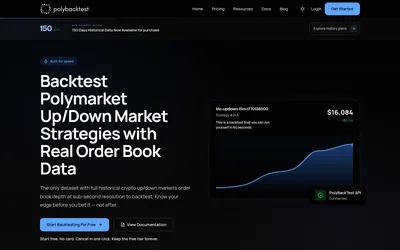
Replay short crypto rounds against recorded liquidity and keep Data API and AI-backtest entitlements separate.
- Access Web · API
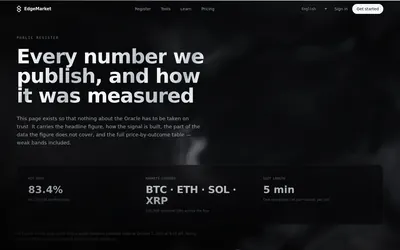

Inspect whale trades and five-minute crypto signals alongside their measurement context.
- Access Web · Telegram · API
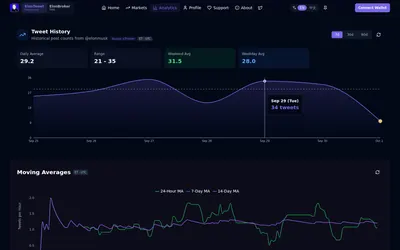

Research posting activity and count brackets through web analytics and the linked Telegram bot.
- Access Web · Telegram
Frequently asked questions about PolyEdgeFinder
Do I need a connected wallet?
No. Public core analytics require neither registration nor a wallet connection.
What triggers a Telegram reminder?
A subscribed upcoming slot must meet your configured signal-strength threshold; lead time and pause settings also shape delivery.
Can I inspect the observations behind a score?
Yes. History Explorer filters completed rounds by coin, timeframe, weekday and slot.
Does it specialize in non-crypto markets?
Its stated specialization is recurring crypto Up/Down markets.