 PredictionToolkit
What is Polydar?
Compare outcome probability, 24-hour volume and liquidity as distinct fields. The large-trade view selects transactions above its displayed $5,000 threshold, so it is a filtered sample rather than every fill. Use the public trader record and full question to put a notable transaction in context instead of reading its size alone.
The command field and Ctrl+K help switch between markets and wallets; navigation also includes quant and tracking areas. Public tables can be read without sign-in, while account-dependent tracking may require it. The overview states a 30-second refresh, and insight articles may concern older contracts, making timestamps and actual event dates important to interpretation.
Who it is for
- Users monitoring many markets at the same time.
- Researchers linking events with the public traders active in them.
- Traders preferring compact tables and keyboard-oriented navigation.
Features and coverage
- Market overview tables
Compare questions by outcome probability, 24-hour volume and liquidity.
- Public active-trader rankings
Inspect the public accounts featured in the current trader view.
- Thresholded large trades
Inspect the dedicated feed labeled for trades above $5,000.
- Activity and category summaries
Review recent trading activity and the distribution of volume by category.
- Command search
Use the search field or Ctrl+K to find markets and traders.
- Focused terminal pages
Open market, live, quant and tracking areas from the navigation.
- Market-move explanations
Read insights and verify the contract’s date rather than relying on the relative-age badge.
Workflows with Polydar
Find an active question
Scan the top-volume table, compare liquidity and open the question relevant to your research.
Connect a trade to its context
Choose a large live-feed transaction, inspect its market and follow the public trader record.
Build a monitoring view
Use Overview for breadth, then keep the focused market or activity page open for the chosen question.
Pricing and total cost
The overview, market tables and public navigation are accessible without signing in. The reviewed entry page does not publish a complete paid-plan schedule.
Getting started
Before you start: A stated 30-second refresh differs from a current executable quote.
- Open Overview and scan market and trader tables, then use Ctrl+K or search for a known wallet or market.
- Open Markets for a focused list or Live for activity, and read the complete question with its liquidity context.
- Sign in for account-dependent tracking features if the workflow needs them.
The overview refreshes on a stated 30-second cycle; its values are not execution quotes.
Useful links
What to check
- A stated 30-second refresh differs from a current executable quote.
- The large-trade feed is thresholded and does not include every market fill.
- Articles can concern older contracts; inspect event dates rather than only a relative-age badge.
A closer look
Ratings & reviews
User reviews 0
The main score switches to user ratings after 5 published reviews.
A specific example helps the next person choose the right tool.
Related tools
Browse category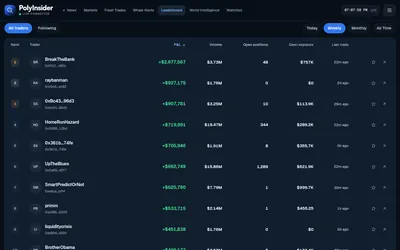
A free Polymarket research dashboard connecting large buys, first-recorded trades, wallets and news.
- Access Web
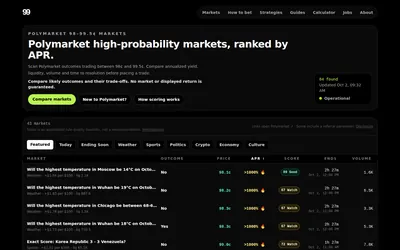

A focused near-resolution table of prices, payout, time, liquidity and automated rule-quality scores.
- Access Web
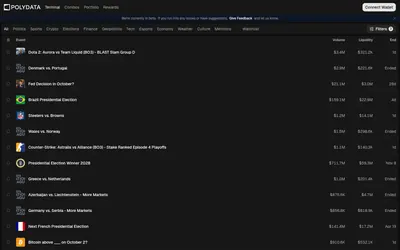

Public wallet analytics, category leaderboards and market discovery connected to a trading terminal.
- Trading mode Manual
- Access Web
Frequently asked questions about Polydar
Can I browse without signing in?
The overview and public market tables are visible without an account.
Which trades appear in the large-trade feed?
The overview labels that selection as trades above $5,000.
Is keyboard search available?
Ctrl+K opens the terminal’s market and trader search entry point.
Does high volume establish a deep book?
Volume and liquidity are separate fields. Inspect both for the market being researched.