 PredictionToolkit

What is Polyburg?
A direct rule follows the leader you choose; a Preset packages a managed strategy. Both require attention to allocation and exit behavior. A strategy’s historical chart also covers a different period from your personal return since joining.
The documentation says automation uses a key quorum holding the signing key. Funding follows the live Wallet picker and produces a Polygon pUSD balance.
Who it is for
- Managing copying and positions through Telegram.
- Choosing fixed-dollar or percentage sizing, or comparing a leader with a managed strategy.
Features and coverage
- Direct rules
Create leader-specific copy rules with individual or shared settings.
- Simple and Advanced modes
Choose a shorter setup or more detailed controls.
- Sizing and allocation
Set fixed-dollar or percentage sizes and a copying budget.
- Exit controls
Configure supported triggers and distinguish future copying from closing held positions.
- Managed Presets
Review each strategy’s entry terms, performance and exit screens.
- Manual trading and notices
Use the manual terminal; fills appear as mini-app toasts, while Telegram carries other alerts and system messages.
Workflows with Polyburg
Allocate to one leader
Create a rule, set size and budget, then check existing-position and exit behavior before enabling it.
Assess a Preset
Read entry terms, the commitment screen and any exit charge. Track your own return since joining separately from its chart.
Stop future copies
Use the appropriate pause or stop control. Close existing positions through the separate exit action if required.
Pricing and total cost
Each buy or sell fill has a per-share fee: max($0.0024, 0.056 × p × (1 − p)), where p is the dollar share price. The homepage advertises a free subscription, but the copy guide refers to active membership; confirm access for your mode in the mini-app.
Fees and usage costs
- 400 shares at $0.25 incur $4.20; selling separately incurs another fee.
- 1,000 shares at $0.02 incur $2.40 because the minimum applies.
- Redemptions are excluded from this trading fee. Preset exits may show a separate charge.
Getting started
Before you start: The per-share minimum is proportionally larger on low-priced shares.
- Open the official Telegram mini-app.
- Choose manual trading, a leader or a Preset.
- Inspect the live Wallet funding route and resulting Polygon pUSD balance.
- Set size, budget and exit behavior before enabling copying.
Stopping or removing a rule does not necessarily close held positions.
Useful links
What to check
- The per-share minimum is proportionally larger on low-priced shares.
- Strategy charts and personal returns since entry describe different periods.
- The live funding picker determines available deposit chains.
- Stopping new copying and liquidating positions are separate actions.
A closer look
Ratings & reviews
User reviews 0
The main score switches to user ratings after 5 published reviews.
A specific example helps the next person choose the right tool.
Related tools
Browse category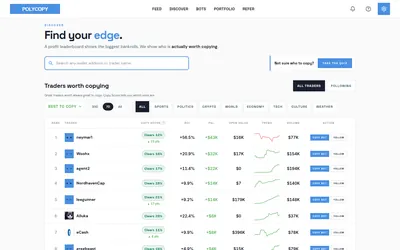

Explore trader activity, rehearse a copying strategy with paper bots, or automate live orders with your own budget.
- Trading mode Paper · Manual · Live automation
- Access Web
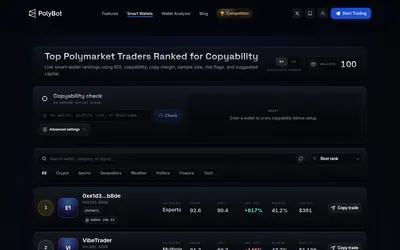

Place market or limit orders, copy wallets and manage exits through Telegram and a visual mini-app.
- Trading mode Manual · Live automation
- Access Telegram
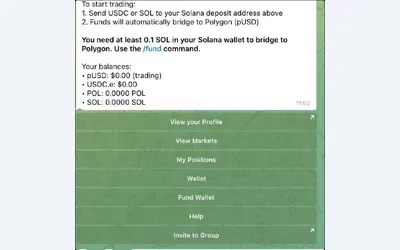

Search markets, manage orders and choose fixed, proportional or counter-copy rules.
- Trading mode Manual · Live automation
- Access Telegram
Frequently asked questions about Polyburg
Does stopping a rule sell my holdings?
Do not equate stop, pause, remove and exit. Existing positions require the relevant exit flow.
Are sell fills charged?
Yes. Each buy or sell fill is charged; redemption is excluded.
Where do fills appear?
In mini-app notification toasts. Other alerts and system messages can arrive in Telegram.