 PredictionToolkit

What is Prediction Markets for X?
The extension is also known as PMs4X. Use it beside relevant content, then open a suggested market to examine the actual outcome and deadline. A topical connection is not necessarily a match to the post’s precise claim: a contract can ask a narrower or different question.
The store describes a focused discovery extension rather than a separate analytics dashboard or documented order-execution system. It is a browser extension, not a standalone mobile app. The developer declares that account data is not collected or stored; that is the developer’s privacy statement.
Who it is for
- Users who find news and market ideas while reading X.
- Readers who want a shorter path from a post to a relevant contract.
Features and coverage
- Post-to-market matching
Find Polymarket questions connected with an X post and inspect them while the original content is still available.
- In-feed discovery
Invoke the extension’s control during X browsing instead of repeating the topic in a separate manual search.
- Chrome installation
Use the published Chrome Web Store installation listing.
- Developer privacy statement
The developer states that account data is not collected or stored.
Workflows with Prediction Markets for X
Follow a news lead
Inspect the suggested market as a route back to the underlying contract. Read the post that prompted it, then open the contract’s exact question and deadline before taking the match further.
Verify the connection
Judge the suggestion against the claim actually made in the post. A related subject can still lead to a different outcome question, so compare the outcome wording before calling it the same event.
Pricing and total cost
The store offers an Add to Chrome installation path but does not publish a subscription or trading-fee schedule.
Getting started
Before you start: A related topic can differ from the precise claim in a post.
- Install from the official Chrome Web Store listing.
- Open X in the supported browser.
- Use the market-discovery control beside relevant content.
- Open a proposed Polymarket market and read the question and rules.
A suggestion can relate to the topic without matching the post’s exact claim.
Useful links
What to check
- A related topic can differ from the precise claim in a post.
- Automatic order execution is not documented in the store description.
- This is a browser extension rather than a standalone mobile app.
A closer look
Ratings & reviews
User reviews 0
The main score switches to user ratings after 5 published reviews.
A specific example helps the next person choose the right tool.
Related tools
Browse category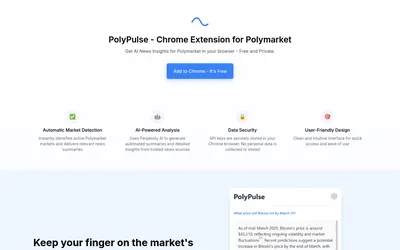

Generate a news summary for a Polymarket question, then refresh it when new developments matter.
- Access Browser extension
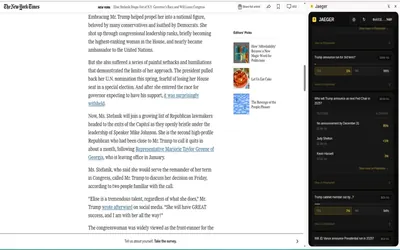

A Chrome extension that finds related Polymarket questions from a webpage, selection or Twitter/X post.
- Access Browser extension
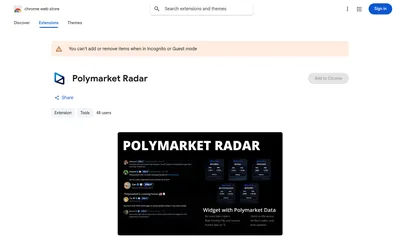

See Polymarket trading statistics while reading posts from supported X accounts.
- Access Browser extension
Frequently asked questions about Prediction Markets for X
Is PMs4X the same extension?
Yes. PMs4X is an alternate name for Prediction Markets for X at the linked Chrome extension listing.
Does it operate within X?
Yes. Finding related markets while reading X is its primary workflow.
Is a trader leaderboard documented?
The published description focuses on related-market discovery and does not establish a leaderboard offering.
Where should I install it?
Use the linked Chrome Web Store listing for Prediction Markets for X.