 PredictionToolkit

What is Merlin?
Browse sports, politics, crypto, finance and other trader specialties, then compare displayed total PnL with weekly return and recent volume. These figures answer different questions: a large lifetime result can coexist with a weak recent period, and recent volume helps distinguish active from inactive profiles.
Read the strategy summary alongside the number and type of markets traded to understand concentration. The site also has market and insider sections, but a style label is not proof of wallet ownership or private information. The website says it does not execute trades; profile-specific minimums, bot actions and costs should be checked after the Telegram handoff.
Who it is for
- Users discovering specialists in sports, politics or crypto.
- Researchers comparing recent results with lifetime PnL.
- Telegram users wanting wallet research before configuring a follow.
Features and coverage
- Public trader leaderboard
Browse wallet profiles with performance and activity figures.
- Category specialties
Identify sports, politics, crypto, finance and other areas of trader focus.
- Recent-return comparison
Read weekly return beside total PnL, and inspect recent volume to assess whether the profile is active.
- Strategy and concentration summaries
Read concise descriptions of concentration and trading style before following a wallet.
- Market browsing
Explore market records alongside the trader and insider sections.
- Telegram copy-trading handoff
Move from a ranked trader profile to the official bot’s copy-trading flow using the Copy Trade in Telegram action.
Workflows with Merlin
Find a category specialist
Browse the leaderboard, select a relevant specialty and inspect the trader’s recent activity.
Check the strategy’s concentration
Compare the strategy description with the number and type of markets traded before opening Telegram.
Follow a research lead
Open the wallet profile, note its current figures and continue in the bot for the supported follow workflow.
Research before copying
Compare category focus and recent activity, then use Copy Trade in Telegram to review the bot’s copy setup, minimums and costs.
Pricing and total cost
Public trader pages can be browsed on the website. It does not display a complete bot fee or subscription schedule; inspect the bot’s terms before activating paid features.
Getting started
Before you start: Website analytics and Telegram execution are separate surfaces.
- Open the research website and choose a trader profile in the relevant market category.
- Compare total PnL, weekly return and recent volume before using the official direct Telegram link.
- Review the bot’s available actions, profile minimums and costs before configuring a follow or copy.
The website is an analytics surface and says it does not execute trades.
Useful links
What to check
- Website analytics and Telegram execution are separate surfaces.
- A strategy label is a research description, not proof of wallet ownership.
- Large lifetime PnL can coexist with negative recent returns.
- Displayed minimums vary by profile and need checking in the bot.
A closer look
Ratings & reviews
User reviews 0
The main score switches to user ratings after 5 published reviews.
A specific example helps the next person choose the right tool.
Related tools
Browse category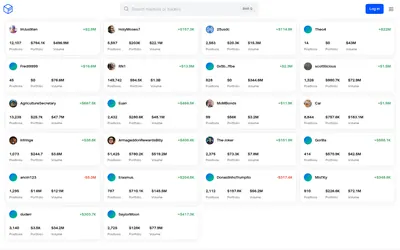

Inspect a trader's positions and P&L, add imported venue history or generate your own yearly wallet report.
- Access Web
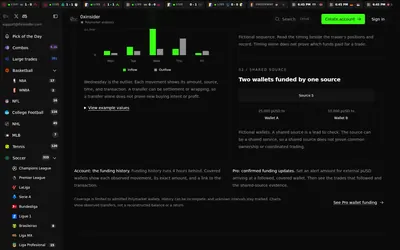

Compare sports prices and graded-wallet exposure, inspect unusual trades and connect the same research to an API.
- Access Web · API · MCP
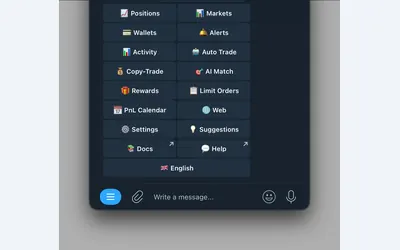

Polymarket wallet research, configurable copying and crypto or sports automation in Telegram and a connected web terminal.
- Trading mode Manual · Live automation
- Access Web · Telegram
Frequently asked questions about Merlin
Can the website place orders?
The site describes itself as analytics and routes action buttons to Telegram.
Can I compare trader specialties?
Yes. Profiles include category and style tags covering several subjects.
What recent activity is shown?
Profiles include recent volume and weekly-return information alongside total PnL.
Which is the official bot?
Use the official t.me/merlin0_bot destination linked from this profile.