 PredictionToolkit

What is Dome?
Following its acquisition by Polymarket, Dome announced end of life for all hosted APIs on 2026-04-28. The older documentation describes a normalized Polymarket and Kalshi interface with market data, wallet analytics, price and order-book history, trades and matching. TypeScript, Python and WebSocket references can still explain how an existing application was built.
The provider links replacement Polymarket APIs, but that link does not automatically replace Kalshi coverage, historical retention, matching or stream behavior. An available SDK package is only a client dependency, not evidence that its hosted backend remains available. Likewise, an older signup prompt should not be used to override the retirement notice.
Who it is for
- Developers maintaining applications that already reference Dome.
- Teams mapping legacy endpoints and SDK methods to replacements.
- Researchers tracing the provenance of data previously collected through Dome.
Features and coverage
- Legacy normalization reference
Identify how Dome combined Polymarket and Kalshi data so the application can replace the provider layer it depended on.
- Historical and wallet dependencies
Inventory consumed price history, trades, order-book records and wallet analytics rather than assuming a replacement retains the same datasets.
- Streaming migration
Replace the old real-time connection and subscription format for clients that consumed its feed.
- Identifier preservation
Retain native venue identifiers and timestamps from stored records when changing providers.
- Retirement documentation
Use the acquisition and end-of-life notice to distinguish historical capabilities from an available hosted service.
Workflows with Dome
Audit the application
List used endpoints, fields, SDK methods and stream messages. Separate discovery, historical research and execution dependencies so each gets an appropriate replacement.
Compare stored records
Preserve native IDs and timestamps, then compare saved samples of events, outcome labels and prices with replacement responses. Check pagination as well.
Select replacement coverage
Use native Polymarket or Kalshi resources for venue-specific work. If a common schema is necessary, compare supported multi-venue providers and fill any historical or streaming gaps separately.
Pricing and total cost
The hosted API service is discontinued. Retained SDK and API references support migration research; new integrations must use the replacement provider’s pricing.
Getting started
Before you start: All hosted APIs have reached their provider-announced end of life.
- Inventory Dome calls and SDK methods in the application.
- Separate metadata, trades, wallet analytics, order-book history, matching and streaming requirements.
- Map Polymarket dependencies to the replacement APIs linked by the provider.
- Choose supported sources for Kalshi and historical data missing from the replacement.
- Compare identifiers, timestamps, pagination and outcome labels against saved samples before switching.
The announced hosted-API end-of-life date has passed; the older signup prompt does not establish continuing access.
Useful links
What to check
- All hosted APIs have reached their provider-announced end of life.
- An installable SDK does not restore the hosted backend.
- The replacement Polymarket API link does not establish equivalent Kalshi coverage or historical retention.
A closer look
Ratings & reviews
User reviews 0
The main score switches to user ratings after 5 published reviews.
A specific example helps the next person choose the right tool.
Related tools
Browse category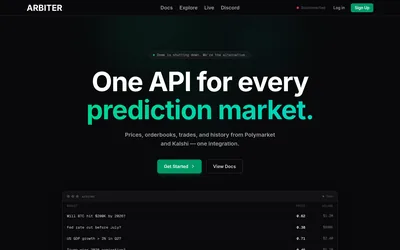

Query normalized markets, historical books, wallet analytics and possible event matches across Polymarket and Kalshi.
- Access API
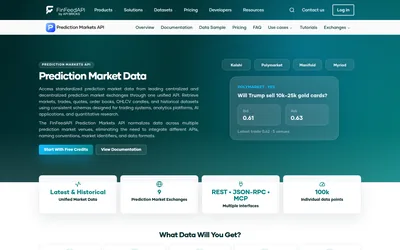

A normalized prediction-market data service for dashboards, historical replay and AI clients.
- Access API · MCP
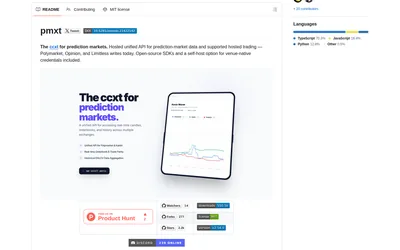

Use one Python or TypeScript interface across supported prediction venues, with an explicit hosted or local backend choice.
- Language Python · TypeScript
Frequently asked questions about Dome
Should I start a new Dome integration?
The documentation announces the end of all hosted APIs and directs users to replacement Polymarket APIs. Treat Dome as a migration reference.
Why retain a profile for a discontinued API?
Existing applications and saved datasets can still contain Dome methods, identifiers and schemas that need to be understood during migration.
Can installing the SDK restore access?
No. The client package and the hosted service are separate dependencies.
Which migration areas need separate checks?
Kalshi coverage, historical order books, market matching and streaming may require separate replacements rather than following directly from the Polymarket API link.