 PredictionToolkit

What is Dimes?
The integration starts with collateral and a quote. A customer posts collateral through the partner product, reviews the offered borrowing terms and opens a larger Polymarket position. Up to 10× leverage is advertised, but each quote and changing conditions determine what a particular position can obtain.
Dimes handles underwriting, margining, hedging and liquidation behind the interface. Integrators can build web terminals, mobile apps, wallets, Telegram bots or CLI tools, then use the partner portal to review activity and economics. The separately promoted Smart Margin product remains marked coming soon.
Who it is for
- Teams adding a financing option to a trading product they already operate.
- Developers implementing bot or command-line trading flows.
- Traders examining the credit provider and fee structure behind a partner frontend.
Features and coverage
- Credit in the partner interface
Add financing without moving the customer to a separate trading frontend.
- Position-specific leverage
Request a quote for buying power up to 10× and present its borrowing terms before opening credit.
- Managed position lifecycle
The provider takes responsibility for credit, margining, hedging and liquidation.
- Core CLI operations
Portfolio, quote, credit and repay commands expose the main financing flow to command-line products.
- Partner fees and reporting
Partners set an origination fee on incremental leveraged volume and use a portal to review activity and economics.
- Several integration surfaces
The documented surfaces include web terminals, mobile apps, wallets, Telegram bots and command-line tools.
Workflows with Dimes
Build a leverage confirmation
Request API access, implement quotes and show collateral, position size, margin and liquidation terms before the customer confirms.
Settle a financed position
Use the closing or repayment flow and show the customer the amount collected after the credit is settled.
Compare complete borrowing costs
Read the Dimes quote alongside the frontend’s origination fee: partners can charge different interface fees.
Pricing and total cost
Dimes supplies integration and credit terms directly. The sources list neither a single public subscription price nor a universal borrowing rate.
Fees and usage costs
- The integrating partner chooses its origination fee on incremental leveraged volume; evaluate it together with the position quote.
Getting started
Before you start: Position terms and leverage availability can change; a headline maximum does not describe every quote.
- Read the official documentation and request integration access.
- Choose the frontend and account flow, then implement portfolio and quote calls before credit opening.
- Show margin and liquidation information at confirmation, and implement repayment and position monitoring.
- Check the partner portal’s reporting and fee settlement.
Available leverage is determined by the quote and current conditions; a maximum is not an entitlement for every position.
Useful links
What to check
- Position terms and leverage availability can change; a headline maximum does not describe every quote.
- Smart Margin is advertised separately as coming soon.
- Dimes is infrastructure for partner products, not a standalone market screener.
A closer look
Ratings & reviews
User reviews 0
The main score switches to user ratings after 5 published reviews.
A specific example helps the next person choose the right tool.
Related tools
Browse category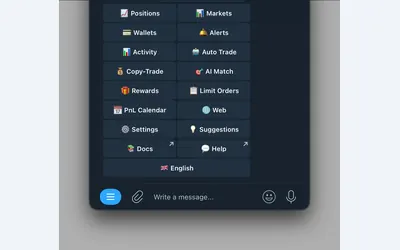

Polymarket wallet research, configurable copying and crypto or sports automation in Telegram and a connected web terminal.
- Trading mode Manual · Live automation
- Access Web · Telegram
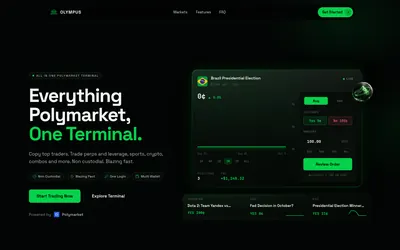

Combine manual trading and server-side copying with leader-specific sizing, filters, exits and historical simulation.
- Trading mode Manual · Live automation
- Access Web
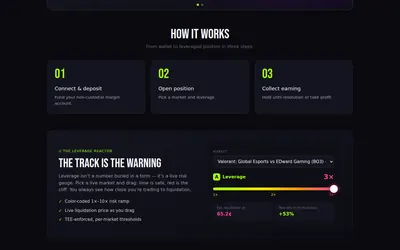

Leveraged Polymarket trading with borrowing terms and a liquidation threshold affected by interest and order-book depth.
- Access Web · API
Frequently asked questions about Dimes
Does Dimes supply a standalone trading frontend?
Its main offering embeds credit in partner interfaces, which retain control of the customer experience.
Can a Telegram bot use the API?
Yes. Telegram bots are among the explicitly documented integration surfaces.
Who chooses the partner’s origination fee?
The integrating platform sets that fee. Compare it with the borrowing terms returned by Dimes.
Which operations are exposed through the CLI?
The core commands cover portfolio information, quotes, credit opening and repayment.