 PredictionToolkit

What is Olympus?
Signup through Discord or Google creates an Olympus trading wallet through Privy. Follow that wallet’s pUSD funding flow and review the bot’s initial ON state before funding or adding leaders. The live engine continues when the browser closes; pause it through bot controls.
Simulations offer fixed-balance and unlimited-capital models, skipped-trade analysis and modeled execution costs. They use trade-tape assumptions, not full queue reconstruction or an ongoing paper account. Some live stops and profit-taking settings are absent from backtests, so compare settings under the same capital model.
Who it is for
- Users sizing each leader separately.
- Traders combining manual and copied positions.
- Researchers comparing execution assumptions.
Features and coverage
- Proportional copying
Set a ratio per leader and use the recalculator as a sizing aid.
- Exposure caps
Limit trade size, total market size, open markets and repeated entries.
- Execution filters
Filter liquidity, volume and maximum price deviation.
- Limit Buy Mode
Target the leader’s fill price; an unfilled limit can wait or a crossing limit can take liquidity.
- Scoped exit rules
Configure stop-loss/take-profit globally, per leader or for supported manual positions.
- Historical copying simulation
Compare capital models, skipped trades and estimated costs.
- Server-side engine
Copying remains active without an open browser.
- Trade management
Use manual orders, copying and supported split/merge or reverse-copy settings.
Workflows with Olympus
Configure a leader
Research the wallet, set ratio/caps/filters and inspect a bounded simulation before enabling the intended allocation.
Compare execution settings
Change deviation or limit-buy rules and inspect skipped trades and slippage, not just P&L.
Manage triggered exits
Check the position/leader scope and monitor failed-exit cooldowns; supported triggers sell the whole position.
Pricing and total cost
A 0.75% fee applies to eligible executed dollar volume, including buys, sells and certain claims/redemptions. Idle funds and canceled unfilled orders are excluded. Settings → Fees shows account discounts and the applicable rate; venue fees are separate where applicable.
Getting started
Before you start: Pause server-side copying through bot controls.
- Sign in with Discord or Google and inspect the Privy-created Olympus wallet.
- Review initial ON status before funding through that wallet’s pUSD flow and adding leaders.
- Set ratios, caps and deviation limits; simulate and inspect skipped trades.
- Confirm whether the server bot should be active after setup.
Closing the browser does not pause copying.
Useful links
What to check
- Pause server-side copying through bot controls.
- Signup creates a separate Olympus wallet, rather than directly trading any external wallet.
- Limits can remain unfilled or cross as taker orders.
- Backtests use trade-tape simulation, without full queue reconstruction.
- Some live stop-loss/take-profit settings are not simulated.
- Triggered exits sell whole positions; failed exits can enter cooldown.
A closer look
Ratings & reviews
User reviews 0
The main score switches to user ratings after 5 published reviews.
A specific example helps the next person choose the right tool.
Related tools
Browse category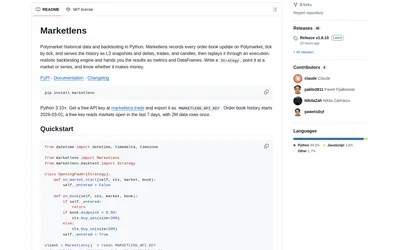

Compare fast bar experiments with detailed L2 replay, reusing downloaded history between strategy changes.
- Language Python
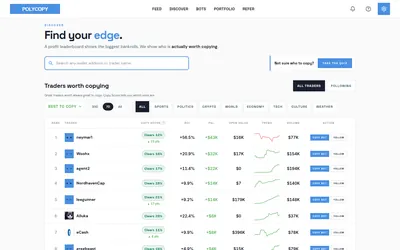

Explore trader activity, rehearse a copying strategy with paper bots, or automate live orders with your own budget.
- Trading mode Paper · Manual · Live automation
- Access Web
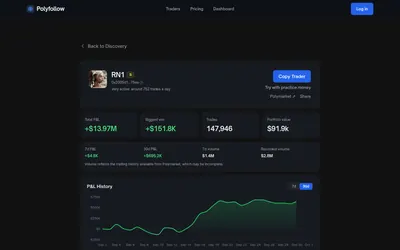

Find traders, inspect a historical copy model and configure automatic copying without a subscription.
- Trading mode Live automation
- Access Web
Frequently asked questions about Olympus
Does closing the tab stop copying?
Use bot controls to pause the server engine.
Why was a trade skipped?
Inspect deviation, liquidity, size/exposure limits and the skipped-trade breakdown.
Is Limit Buy Mode always maker?
A limit crossing the current ask can execute immediately as a taker.
Can fixed and unlimited simulations be compared directly?
Use the same capital model to compare settings.
Where is my fee shown?
Settings → Fees shows the applicable account rate and discounts.