 PredictionToolkit

What is PolymarketData?
Discover series, events and markets, then join recorded prices, spread, volume, liquidity and resolution metadata. The documented observations are one-minute; do not treat every series as an event-by-event feed or assume historical book depth includes a full trade tape.
Self-service tiers are Trader, Pro and Ultra, with request volume and granularity selected in the pricing interface. Bulk delivery, derived datasets, custom pipelines and additional support are separately scoped. Confirm each market's first observation rather than assigning the headline archive start to every series.
Who it is for
- Researching resolved and active contracts.
- Maintaining historical market panels.
- Arranging recurring exports or bounded datasets.
Features and coverage
- Relational discovery
Navigate series, events and markets.
- Price history
Retrieve recorded outcome-price series.
- Market metrics
Query spread, volume and liquidity observations.
- L2 books
Inspect recorded bid and ask depth.
- Resolved events
Join outcomes and historical contract state.
- Delivery formats
Use REST, Python, Parquet, CSV or JSON exports.
- Custom delivery
Arrange recurring S3 exports or date/category-bounded data.
Workflows with PolymarketData
Build a panel
Discover markets and retain series/event links; query a common period for prices and metrics.
Study settlement liquidity
Join resolution metadata with books and examine spreads and resting size near settlement.
Define a pipeline
Specify format, date range, destination and update cadence for exports.
Pricing and total cost
Trader, Pro and Ultra are self-service tiers. Select request volume and granularity in the provider's pricing interface. Bulk delivery, derived datasets, custom pipelines and additional support cost separately.
Getting started
Before you start: Historical depth and trade tapes are different products.
- Read documentation and select the dataset.
- Create an account and API key.
- Discover a small market set.
- Request a bounded history and inspect timestamps.
- Choose API pagination or export delivery to match workload.
One-minute historical observations are not necessarily an event-by-event feed.
Useful links
What to check
- Historical depth and trade tapes are different products.
- Ultra does not automatically include bespoke pipelines or derived data.
- Actual first observations vary by market.
- Observation frequency must match the intended analysis.
A closer look
Ratings & reviews
User reviews 0
The main score switches to user ratings after 5 published reviews.
A specific example helps the next person choose the right tool.
Related tools
Browse category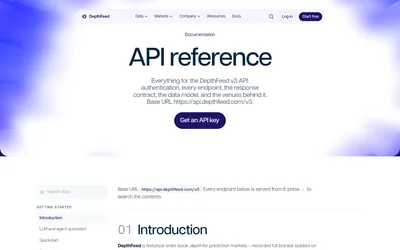

Retrieve recorded book ladders, sports mappings and aligned price bars for research and replay.
- Access API · MCP
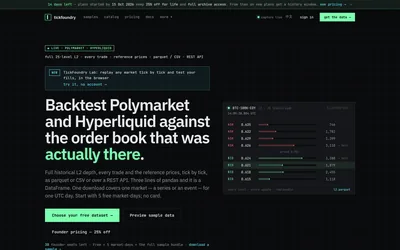

Download UTC market-day bundles or replay books and trades to examine recorded execution costs at a chosen size.
- Access Web · API
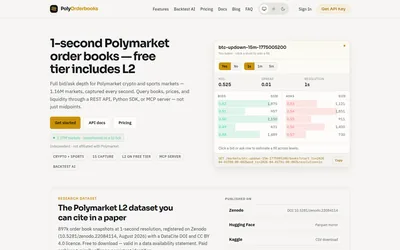

Query historical books at 250 ms intervals or replay supported crypto strategies with depth-based fills.
- Access Web · API · MCP
Frequently asked questions about PolymarketData
Are resolved markets included?
The historical model includes resolved events and outcomes.
Must I maintain an API integration?
No. Exports and direct delivery are also supported.
Are historical order books available?
Yes. L2 snapshots are documented.
Does Ultra include a custom pipeline?
Custom delivery, derived datasets and extra support are scoped separately.