 PredictionToolkit
What is Polymarket.Net?
Typed models and enums cover responses and price, book, trade, tick-size and best-bid/ask events. Reconnection is supported, but applications still need correct resubscription and book-state recovery. Compatible targets include Native AOT use cases.
Signer and deposit/funding addresses have different roles, as do L1 wallet and L2 API credentials. The guide includes Poly1271 with a deposit address. Check request Success and Error before reading data; limit notional is share count times price, regardless of an inconsistent sample comment.
Who it is for
- .NET data and execution services.
- Teams using CryptoExchange.Net.
- Live token books and multi-account apps.
Features and coverage
- Typed REST
Response classes and enums.
- Gamma and CLOB
Discover markets and read outcome-token books.
- Sockets
Price, book, trade, tick-size and best-bid/ask callbacks.
- Connections
Documented reconnect handling.
- Local books
Maintain supported book state.
- Accounts
Separate accounts and signing credentials.
- Runtime
Compatible .NET targets, including Native AOT use cases.
Workflows with Polymarket.Net
Build a market view
Read open Gamma markets, retain CLOB token IDs and request REST books.
Maintain live books
Subscribe to tokens, process typed callbacks and monitor reconnection and recovery.
Add private actions
Choose signature type and deposit/funding address, obtain L2 credentials and inspect every result.
Pricing and total cost
MIT library via NuGet and repository releases. No client subscription; infrastructure and venue charges are separate.
Getting started
Before you start: L1 wallet and L2 API credentials are distinct.
- Install Polymarket.Net from NuGet.
- Create a public REST client and read a small set.
- Inspect Success and Error before data.
- Add required socket tokens.
- Configure signing and L2 only for private actions.
- Enable useful logging without secrets.
Signer and deposit/funding addresses serve different roles.
Useful links
What to check
- L1 wallet and L2 API credentials are distinct.
- Local rate limiting does not remove server limits.
- Books need correct reconnection and resubscription.
- Compute order notional from shares and price, not a contradictory example comment.
A closer look
Ratings & reviews
User reviews 0
The main score switches to user ratings after 5 published reviews.
A specific example helps the next person choose the right tool.
Related tools
Browse category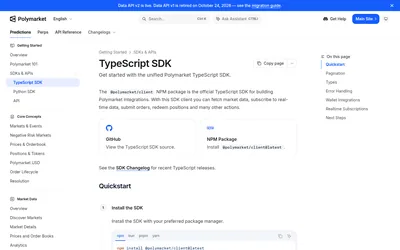

Build typed Polymarket apps with public reads, resumable scans, real-time topics and separate authenticated actions.
- Language TypeScript · JavaScript
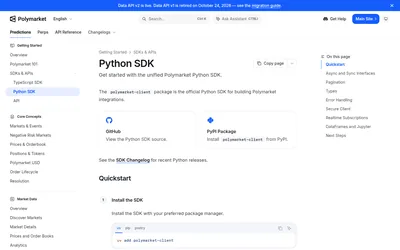

Typed sync and async clients for scripts, notebooks, account workflows and real-time subscriptions.
- Language Python
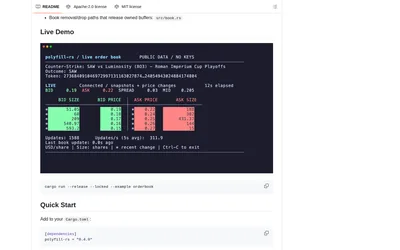
Build a Rust Polymarket integration with typed requests, explicit V2 support and configurable book processing.
- Language Rust
- Access API
Frequently asked questions about Polymarket.Net
How is it installed?
Use the Polymarket.Net NuGet package.
Can sockets reconnect?
Automatic connection management is documented.
Does it support Deposit Wallet signing?
The guide includes Poly1271 and a deposit address.
Does it fit an existing exchange stack?
It follows CryptoExchange.Net client patterns.