 PredictionToolkit
What is PolyClaw?
Its buy flow splits collateral into both complementary outcomes and sells the unwanted leg through CLOB. The amount therefore enters a split workflow rather than a simple direct ask-side purchase. Contract approvals also submit on-chain transactions, so the execution mechanics matter during configuration.
Pair analysis and hedge scans use a model to inspect logical implications between precise market questions. Coverage tiers are analytical outputs, not settlement commitments. Entries are tracked in a local JSON file; reconcile wallet activity performed elsewhere before relying on that position list.
Who it is for
- OpenClaw users seeking Polymarket tools.
- Developers studying logically related contracts.
- Technical users configuring RPC and model access.
Features and coverage
- Market commands
Search keywords, inspect one market or list trending contracts.
- Wallet status
Read collateral and gas-token balances.
- Split-and-sell buying
Split collateral and sell the unwanted outcome through CLOB.
- Local position records
Store entries locally and display their current values.
- Pair analysis
Ask the LLM-backed analyzer about a specified market pair.
- Hedge scan
Scan a bounded market set for logical implications and coverage tiers.
- Early exits
Sell a held position through available book liquidity.
Workflows with PolyClaw
Research a covering pair
Run a small topic scan, inspect the exact implication and resolution rules, then compare combined cost and size.
Reconcile before exit
Inspect the skill’s entry and current value, then compare local records with the wallet before selling.
Configure services
Use RPC and signer for wallet actions and the model-provider key for hedge analysis.
Pricing and total cost
The source is Apache-2.0 licensed. Polygon transactions, RPC usage, model-provider calls and applicable trading costs are separate.
Getting started
Before you start: The buy command uses split-and-sell mechanics.
- Install the skill through the documented OpenClaw route and install Python dependencies with uv.
- Configure Chainstack RPC and the optional model-provider key.
- Browse before adding execution credentials, then inspect wallet status and contract approvals.
- Set trade amounts with split-and-sell mechanics in mind.
Buy amounts enter a split workflow rather than direct ask-side spending.
Useful links
What to check
- The buy command uses split-and-sell mechanics.
- Approvals send on-chain transactions.
- Local JSON positions may omit trades made elsewhere.
- Coverage tiers are model/logic outputs, without settlement commitments.
- This skill is for OpenClaw; Alphapoly is a separate standalone application.
A closer look
Ratings & reviews
User reviews 0
The main score switches to user ratings after 5 published reviews.
A specific example helps the next person choose the right tool.
Related tools
Browse category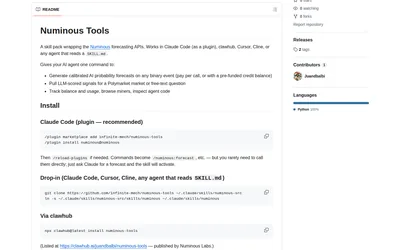
Request forecasts and market evidence from an agent while tracking separately metered API usage.
- Language Python
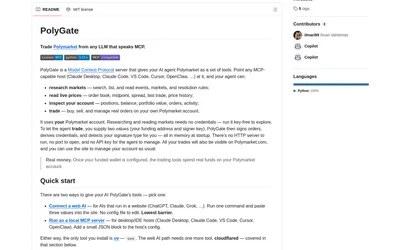
Run public market research locally or connect a supported web client through a temporary authenticated tunnel.
- Language Python
- Access CLI · MCP
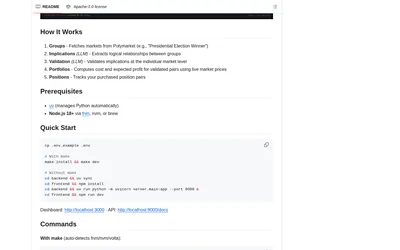
Run a local app to discover logical contract relationships, construct covering pairs and monitor paired positions.
- Access Web
Frequently asked questions about PolyClaw
Is a private key needed for search?
Public discovery is separate from wallet execution.
What does buy do?
It splits collateral into both outcomes and sells the unwanted side.
Does the position list include external trades?
It tracks local skill records; reconcile other activity separately.
What uses the model key?
Logical-implication and hedge analysis.