 PredictionToolkit

What is Pariflow?
Browse sports, esports, crypto, elections and other subjects, then read the exact outcome and market rules. Cards show volume and time remaining, with filters for range, time and volume. A similarly named event elsewhere can have different prices or settlement terms; Pariflow is not documented as a direct login to an existing Polymarket account.
The help material separates the browsing price from the executable quote and available balance from total account value. Use the demo to inspect PnL and price changes, but do not infer live depth or fills from simulated execution. Before live use, review funding, withdrawals, account controls and the fees shown in the relevant flow.
Who it is for
- Users learning event-contract mechanics.
- Readers comparing questions with several possible outcomes.
- Users who want simulated practice before live account actions.
Features and coverage
- Market discovery
Browse categories, outcome cards, volume and time remaining, and narrow results by range, time or volume.
- Simulated balance
Practice orders and observe PnL without using live funds. Demo fills do not establish live execution conditions.
- Quote confirmation
Check current liquidity and account balance and compare the final executable quote with the browsing price.
- Conditional early sale
The FAQ says positions can usually be sold while the market remains open and liquidity exists.
- Position accounting
Distinguish realized PnL, estimated open-position value and available cash rather than treating total value as spendable balance.
- Account protections
Configure the supported login and two-factor protections offered by the platform.
Workflows with Pariflow
Practice a position
Enter demo mode, choose an outcome and follow the position through price changes or settlement.
Review an order quote
Compare the browsing price with the executable quote and examine depth, spread and price movement before confirmation.
Explain a balance difference
Separate liquid balance, position value and pending settlement when reviewing the account.
Pricing and total cost
The FAQ says applicable fees are shown in the relevant product flow before confirmation. It does not publish a universal numerical trading-fee rate.
Getting started
Before you start: Matching event names do not establish matching contract prices or rules.
- Browse an event and read its rules.
- Create an account to retain activity.
- Choose demo mode for practice.
- Inspect quotes and PnL.
- Read funding, withdrawal and account terms before live use.
A similarly named event on another venue can have different prices or rules.
Useful links
What to check
- Matching event names do not establish matching contract prices or rules.
- Demo execution does not demonstrate live depth or fills.
- Cancelled or corrected events follow the platform’s own market rules.
- The documented product is not a direct login to an existing Polymarket account.
A closer look
Ratings & reviews
User reviews 0
The main score switches to user ratings after 5 published reviews.
A specific example helps the next person choose the right tool.
Related tools
Browse category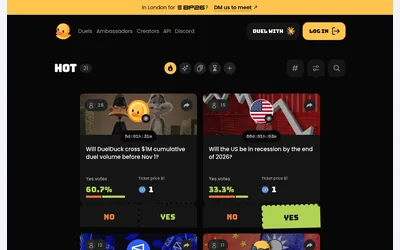

A separate Solana prediction venue for community-created yes/no duels and embeddable event questions.
- Access Web
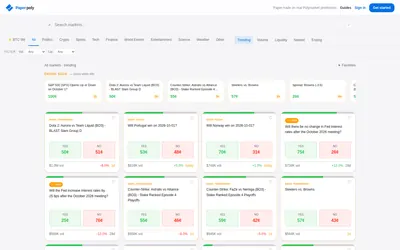

Practice market selection and position accounting with virtual funds, a journal and optional assistant-driven paper orders.
- Trading mode Paper
- Access Web · MCP
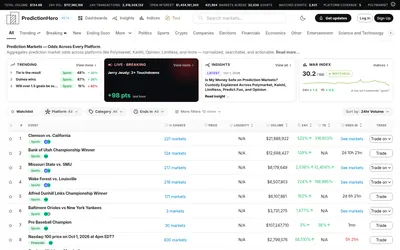

A cross-venue event browser with matched groups, liquidity filters, watchlists and thematic indices.
- Access Web · Email
Frequently asked questions about Pariflow
Does Pariflow offer demo mode?
Yes. It provides a simulated balance for practicing orders, position changes and settlement.
Why might the final quote differ from the displayed price?
Depth, spread and price movement affect execution. Review the final executable quote before confirming.
Can I sell before the outcome resolves?
The FAQ says usually, provided the market is still open and there is liquidity. This is conditional rather than a guaranteed exit.