 PredictionToolkit

What is Open-Meteo?
Choose best_match for model selection or request individual models to examine their spread. Current and hourly variables can be retrieved for several locations, with JSON, CSV and XLSX outputs. Ensemble, marine and air-quality APIs broaden the available context without making this a trading bot.
For backtests, use a forecast initialized before the decision, not reanalysis that may incorporate later information. Historical forecasts, fixed-lead previous runs and single initialization-time runs answer different questions. Archive start dates vary, and daily maxima depend on timezone and reporting boundaries.
Who it is for
- Weather-contract researchers.
- Location-specific dashboard developers.
- Teams avoiding future-data leakage in forecast models.
Features and coverage
- Coordinate forecasts
Request current and hourly variables for selected locations.
- Model choice
Use best_match or explicit models.
- Historical reanalysis
Build climate baselines from long-run estimates.
- Archived forecasts
Query forecast history in a format similar to the live API.
- Fixed lead-time runs
Compare forecasts at a fixed lead time over history.
- Single model runs
Select an archived initialization time.
- Multi-location exports
Use JSON, CSV or XLSX for several coordinates.
- Related weather APIs
Explore ensemble, marine, air quality and other documented products.
Workflows with Open-Meteo
Research a temperature contract
Read station, unit, date and rounding rules, request the location and compare models before mapping to outcome buckets.
Backtest without hindsight
Preserve forecast initialization time and evaluate against the contract’s actual observed settlement series.
Build a weather panel
Request needed variables only, cache responses and refresh with the selected model’s run schedule.
Pricing and total cost
Free hosted access is non-commercial, with attribution required. Commercial integrations need a subscription; data licensing and hosted-service terms remain separate.
Free / Open-Access
Free for non-commercial use
- 600 calls/minute; 5,000/hour; 10,000/day; 300,000/month.
API Standard
Subscription; see provider pricing
- Commercial use; 1 million monthly calls.
- Dedicated customer endpoint; historical forecast/model-run APIs excluded.
API Professional
Subscription; see provider pricing
- Commercial use; 5 million monthly calls.
- Historical forecast, previous-run and single-run APIs.
Getting started
Before you start: Grid forecasts do not automatically match station observations.
- Read the contract specification and choose coordinates, variables, units and timezone.
- Select best_match or models; historical tests require forecast-run history.
- Start with a bounded GET request and choose a commercial plan when needed.
A model grid point may differ from the official settlement station observation.
Useful links
What to check
- Grid forecasts do not automatically match station observations.
- Reanalysis may use information unavailable at prediction time.
- Model and archive start dates differ.
- Daily maxima depend on timezone and reporting window.
- Free hosted terms are non-commercial; data licensing is a separate condition.
A closer look
Ratings & reviews
User reviews 0
The main score switches to user ratings after 5 published reviews.
A specific example helps the next person choose the right tool.
Related tools
Browse category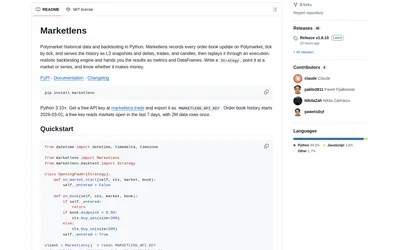

Compare fast bar experiments with detailed L2 replay, reusing downloaded history between strategy changes.
- Language Python
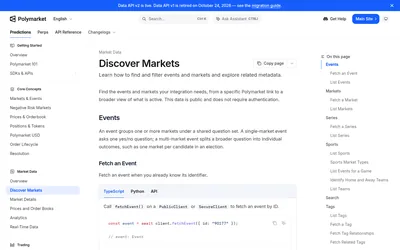

Discover contracts and their identifiers before querying executable prices or building a searchable catalog.
- Access API
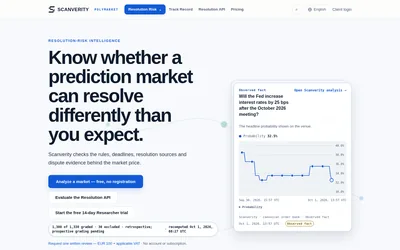

Examine rules, deadlines and resolution evidence, then monitor selected contracts for changes.
- Access Web · API · Email
Frequently asked questions about Open-Meteo
Is it a Polymarket bot?
It supplies external weather context for a separate research or trading workflow.
Which history avoids look-ahead leakage?
Archived runs initialized before the decision.
Does keyless access permit unrestricted commercial hosting?
Commercial hosted use follows subscription terms.
Can I compare several models?
Select individual models instead of relying only on best_match.