 PredictionToolkit

What is Insiders.bot?
A standard copy follows a chosen source wallet at 1–100% of its size or at a fixed amount starting at $1. Percentage mode adds follower minimum and maximum amounts. Separate filters can exclude original trades by source size and restrict market categories, volume and holder-count ranges.
Auto-Mirror Sell follows the leader’s proportional sale, while ordinary copying also offers custom take-profit and stop-loss. Autopilot instead commits a budget to a hold-to-settlement strategy without those exits. Account access can use Privy social login or explicit delegation from an external wallet; those routes have different key-management models.
Who it is for
- Users managing wallet-copy configurations from Telegram.
- Traders filtering source activity by size and market characteristics.
- Users requiring web and chat views of the same account.
Features and coverage
- Percentage or fixed sizing
Copy 1–100% of source size or choose a fixed amount from $1; percentage mode supports follower minimum and maximum amounts.
- Original-trade size filters
Exclude source trades below or above selected amounts independently of follower sizing.
- Market-universe controls
Select categories and ranges for volume and holder count.
- Mirrored and independent exits
Auto-Mirror Sell mirrors proportional leader sales; standard copying also offers custom take-profit and stop-loss.
- Telegram copy management
Use /copytrade, /mycopytrades, /copyhistory and /stopcopy to configure, inspect and stop copying.
- Natural-language agent
Request research and configure supported trading parameters in chat.
- Budget-based Autopilot beta
Commit a budget to the separate strategy that holds to settlement without take-profit or stop-loss.
- Social or delegated wallets
Choose Privy-powered social login or inspect explicit delegation for an external-wallet route.
Workflows with Insiders.bot
Create a percentage copy
Run /copytrade, supply the leader and enter percentage,max,min. Review source and market filters plus exit settings before confirming.
Create a fixed-amount copy
Choose the amount, source-size filters and market universe, then review and confirm the configuration.
Pause and inspect separately
Stop new copying, then inspect remaining positions and fill history; stopping a configuration does not itself close existing holdings.
Evaluate Autopilot’s policy
Read its budget and settlement-only policy before comparing it with ordinary copying and its separate exit controls.
Pricing and total cost
The reviewed public documentation does not establish a numerical platform fee or Pro subscription schedule. The newer onboarding guide describes normal Polymarket execution as gasless; that does not establish the service’s overall price.
Getting started
Before you start: Do not transfer ordinary copy TP/SL assumptions to Autopilot’s hold-to-settlement strategy.
- Open InsidersDotBot and send /start, then choose social login or the external-wallet route.
- Follow the current deposit screen, whose onboarding describes eligible assets converted to PUSD.
- Inspect delegation or approval requests, configure the copy and its limits, then review fills and open positions after activation.
Autopilot holds to settlement without take-profit or stop-loss; ordinary copying has different exit controls.
Useful links
What to check
- Do not transfer ordinary copy TP/SL assumptions to Autopilot’s hold-to-settlement strategy.
- Social-login and externally delegated wallets use different key-management models.
- Older FAQs mention POL gas and USDC funding, while newer onboarding describes gasless PUSD trading; use the current deposit instructions.
- Pausing new copies is separate from closing positions already opened.
A closer look
Ratings & reviews
User reviews 0
The main score switches to user ratings after 5 published reviews.
A specific example helps the next person choose the right tool.
Related tools
Browse category

Polymarket wallet research, configurable copying and crypto or sports automation in Telegram and a connected web terminal.
- Trading mode Manual · Live automation
- Access Web · Telegram
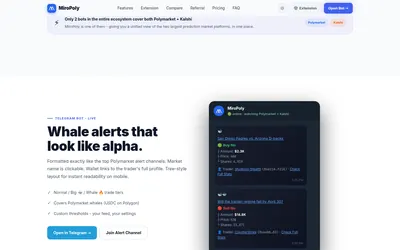
Whale and price alerts, configurable Polymarket copying and free browser panels for market context.
- Trading mode Live automation
- Access Telegram · Browser extension
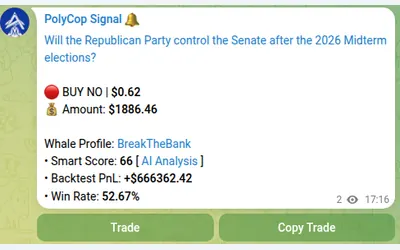

Copy Polymarket wallets in Telegram with separate buy/sell switches, controlled limit prices and layered exposure limits.
- Trading mode Manual · Live automation
- Access Telegram
Frequently asked questions about Insiders.bot
What is the fixed-copy minimum?
Fixed copies start at $1; percentage copying instead supports 1–100% of source size with separate follower minimum and maximum amounts.
Can copying be limited to selected categories?
Yes. Market filters include categories, volume and holder-count ranges.
Does Autopilot have take-profit or stop-loss?
No. Its public policy is to hold to settlement; ordinary copying has separate exit controls.
Which Telegram destination is the trading bot?
InsidersDotBot is the trading bot. The insiderscommunity channel is a separate community destination.